
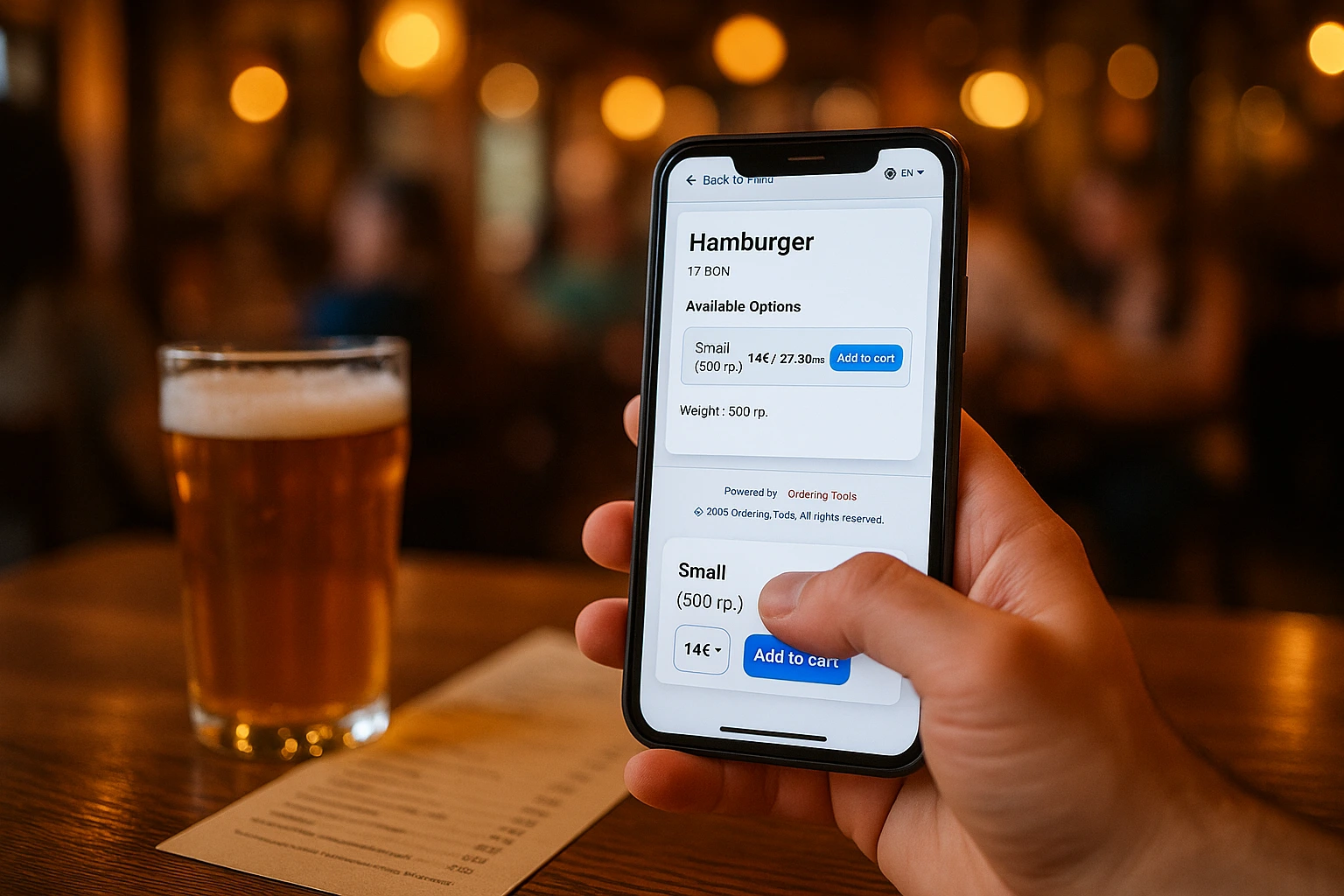
Product Variants & Modifiers That Sell More
Every "Extra cheese" and "Make it large" adds to your bottom line. Structured customization replaces messy notes with clear options that increase order value and eliminate kitchen confusion.
Turn Every Order Into a Bigger Order
Customers want to customize. Right now, they scribble requests on paper, tell the waiter, or type free-text notes that nobody reads. The kitchen guesses. Orders come back wrong. You lose money on remakes and unhappy customers.
Ordering.Tools gives you structured customization. Variants let customers pick sizes and options with clear pricing. Modifiers split into two types: paid add-ons (Extra Cheese +$1.50) and free removals (No Onions). Required modifier groups force a choice before checkout -- like picking a mandatory side dish. Every selection flows directly to the kitchen with zero ambiguity.
Why This Matters for Your Revenue
Higher Average Order Value
When customers see add-on options at the point of ordering, they add them. A simple "Add bacon" or "Upgrade to large" turns a standard order into a bigger one. Every modifier is an upsell you did not have to pitch.
Zero Guesswork in the Kitchen
No more sticky notes that say "less spicy" or "the usual." The kitchen gets a structured ticket with exact selections. Fewer remakes, fewer complaints, less wasted food.
Margin-Friendly Pricing
Set a different price for every variant and every add-on. A large pizza costs more than a small. Extra avocado costs extra. The system calculates totals automatically. You control the margins.
Required Choices That Prevent Errors
Force customers to pick a mandatory side dish, a sauce, or a spice level before they can check out. No more incomplete orders arriving at the kitchen. Required modifier groups close the gap between what you need and what the customer submits.
How It Works
Define Product Types
Create reusable customization groups: "Size," "Crust," "Spice Level," "Side Dish." Each group holds variants or modifiers. Build once, reuse across your entire menu.
Add Variants with Pricing
Add options within each type -- Small, Medium, Large -- each with its own price. Customers see the exact cost before they choose. No surprises at checkout.
Add Modifiers
Create paid add-ons (Extra Cheese +$1.50) and free removals (No Onions). Gather them into a modifier group, then offer that group on any product type and set the rule there -- required or optional, and how many the customer may pick.
Assign to Products
Link product types to any product in your menu. Customers see structured options when ordering. The kitchen sees exact specifications on every ticket.
Built to Increase Revenue
Per-Variant Pricing
Every size and option has its own price. Customers see the total update in real time as they customize. No confusion, no disputes at the counter.
- Individual price per variant
- Real-time total at checkout
- Weight and portion details per option
- Multi-language variant names for international guests
Paid Add-ons and Free Removals
Two modifier types that match how restaurants actually work. "Add Extra" charges for additions. "Without" removes ingredients at no cost. Both print clearly on the kitchen ticket.
- Add Extra: priced add-ons (e.g., Extra Cheese +$1.50)
- Without: remove ingredients at no charge (e.g., No Onions)
- Multiple quantities per add-on for heavy customizers
- Kitchen-ready labels -- no interpretation needed
Required Choices, Set Per Dish
Some choices are not optional. A modifier group is a reusable set -- build "Sauces" once -- and every product type that offers it sets its own rule: required or optional, and how many to pick. A pizza asks for exactly one sauce while a burger allows three of the very same ones, without duplicating a single modifier.
- Mandatory selections prevent incomplete orders
- Works for side dishes, sauces, spice levels, and more
- Kitchen never receives an order missing critical info
- Fewer follow-up calls to clarify what the customer wanted
Reusable Templates Across the Menu
Create a "Size" type once. Apply it to pizzas, salads, drinks -- anything. Update a price in one place and it changes everywhere. Less admin work, consistent pricing.
- One template, unlimited products
- Mix variants and modifiers in the same group
- Update once, apply everywhere
- Consistent customer experience across the menu
Works for Every Type of Restaurant
Pizza Restaurants
Size variants with tiered pricing, crust types, and paid topping modifiers. Required sauce selection ensures nothing is missing.
Coffee Shops
Cup sizes, milk alternatives, syrup shots, and extra espresso -- each priced individually. Average ticket goes up with every add-on.
Burger Joints
Patty size, bun choice, and build-your-own toppings. Required side dish group means every burger comes with a side.
Asian Cuisine
Required spice level prevents "make it medium" arguments. Protein choice, noodle type, and paid extras keep the kitchen clear.
Fine Dining
Course selections, wine pairings, and preparation preferences. Structured options replace handwritten notes that get lost.
Bakeries & Delis
Size options, filling choices, and gift packaging -- all with clear pricing. Required selection for filling type eliminates back-and-forth.
How Product Customization Increases Order Value
Every add-on option is a micro-upsell. When a customer sees "Add bacon +$2" or "Upgrade to large +$3" at the moment of ordering, the decision takes one tap. No staff pitch needed. Restaurants that offer structured add-ons consistently see higher average orders compared to static menus with no customization.
Kitchen Errors Drop When Options Are Structured
Free-text notes cause problems. "Less sauce" means different things to different cooks. "The usual" means nothing to a new hire. Structured variants and modifiers replace ambiguity with exact selections. The kitchen reads a clear ticket. Remakes go down. Customer satisfaction goes up.
Required Modifier Groups Close the Gaps
An incomplete order wastes everyone's time. The kitchen calls the front desk, the front desk calls the customer, the food sits. A required modifier group prevents this entirely. If a main course needs a side dish, the customer picks one before checkout. And because the rule lives on the dish type rather than on the group itself, the same set of sides can be mandatory with a main course and entirely optional beside a starter -- one set, two questions, no duplicated options to keep in sync.
Multi-Language Support for International Guests
All variant and modifier names support multiple languages. International customers see options in their own language. This is especially important for allergen-related modifiers -- a customer must understand what they are adding or removing.
Start Selling More Per Order
Set up variants and modifiers in minutes. Watch your average order value grow.
Prefer to see it step by step? There is a full tutorial for this feature.
Related features
Other tools restaurants use alongside this one.
Guests scan, browse, and order from their phone. Your staff stays focused on service instead of taking orders. Tables turn faster. Mistakes drop.
Learn moreYou're updating your menu in 5 different places. Every price change means editing your website, your QR menu, your ordering page, and hoping nothing gets missed. Update once in Ordering.Tools -- it syncs everywhere instantly.
Learn morePick different dishes for Monday through Friday once, or plan a brand-new set every week -- the site shows the right one automatically, no one has to swap anything at noon.
Learn moreFish, meat, salads, prepared food by the kilo. The customer orders roughly how much they want, your kitchen weighs the real portion, and only that amount is charged. No phone calls, no rounding, no arguments at the door.
Learn more