
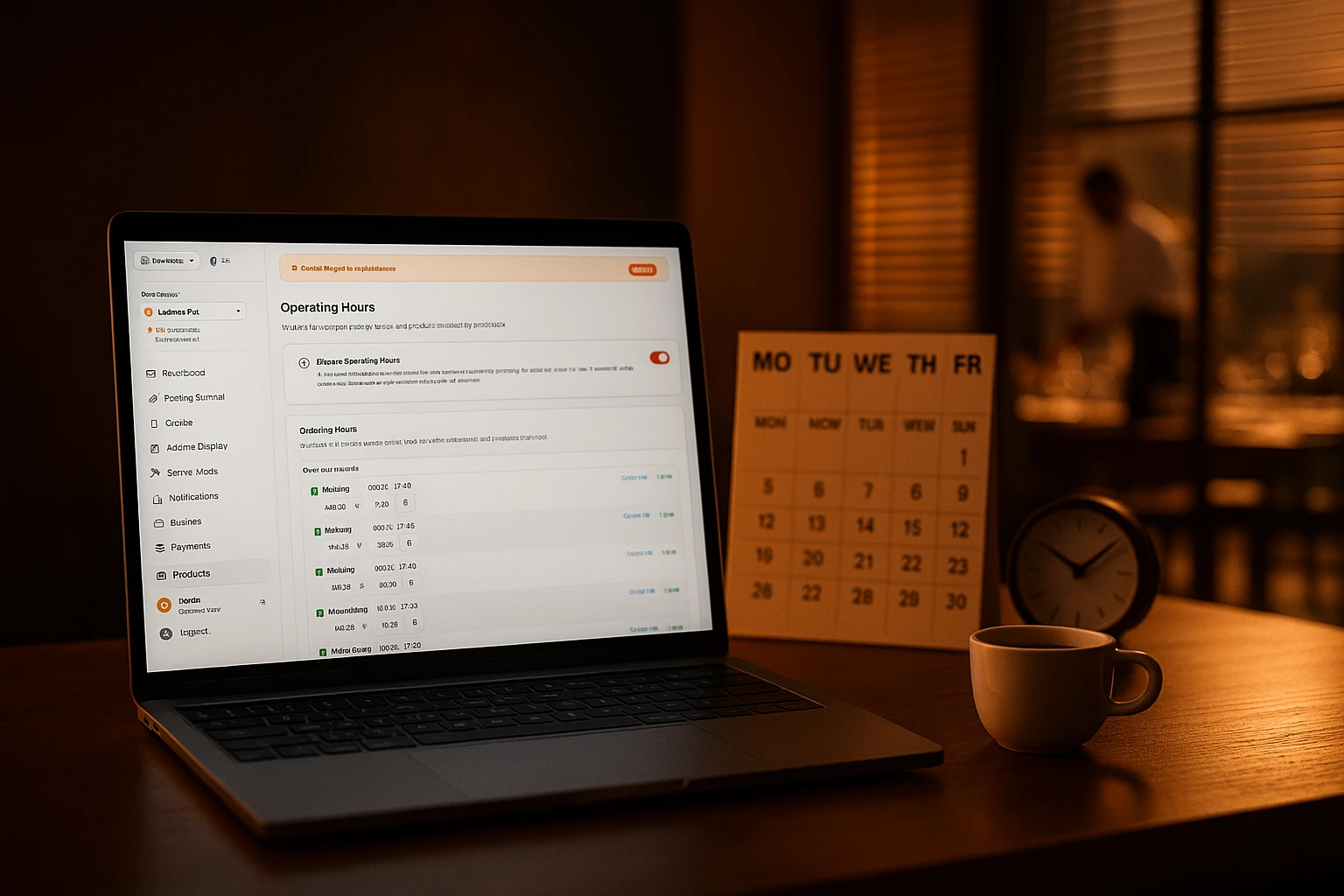
Your Menu Runs Itself
Stop relying on staff to switch menus and update hours. Set your schedules once. Breakfast, lunch, happy hour, holidays -- everything activates and deactivates on its own.
What Does Schedule Automation Do?
Schedule automation controls what customers see and when they see it. You define your operating hours, create named schedules like 'Breakfast' or 'Happy Hour', and assign them to products, categories, or promo codes. The system handles every transition. No staff action required.
It supports split shifts, holiday closures, date-range validity, multiple time slots per day, and channel-specific schedules. Set different hours for delivery, pickup, and dine-in -- delivery stops at 22:00 while dine-in runs until 23:00. Customers only see what is available right now. Scheduled orders only offer valid time slots. Nothing falls through the cracks.
What This Fixes
No More Forgotten Menu Swaps
Breakfast items disappear at 11:00. Lunch specials appear at noon. Your staff does not need to remember, check, or do anything.
Holidays Handled in Advance
Set Christmas, New Year's, or any closure weeks ahead. Customers see 'closed' automatically. No last-minute scramble to update your page.
Split Shifts Without Confusion
Open for lunch, closed mid-afternoon, back for dinner. Define it once. The menu reflects it every day without manual toggling.
Different Hours for Each Order Type
Delivery stops at 22:00. Pickup runs until 22:30. Dine-in stays open until 23:00. Each channel gets its own schedule. Checkout enforces the rules automatically -- customers cannot place a delivery order after your delivery window closes.
How It Works
Define Your Default Hours
Set your venue's operating hours for each day of the week. This controls when customers can place orders and see your menu.
Create Named Schedules
Build schedules like 'Breakfast 7-11', 'Happy Hour 16-18', 'Weekend Brunch'. Each gets its own time slots and days.
Assign to Products and Categories
Link any schedule to specific products, entire categories, or promo codes. They appear and disappear automatically at the right times.
Add Exceptions When Needed
Override any day with special hours or closures. Holidays, private events, renovations. The exception takes priority over the regular schedule.
What You Get
Weekly Recurring Hours
Set open and close times for every day of the week. Need two service windows in one day? Add multiple time slots.
- Per-day open and close times
- Multiple slots per day for split shifts
- Mark specific days as closed
- Automatic overlap detection prevents scheduling errors
Special Hours and Closures
Override regular hours for any date. One-day closures, multi-day holiday periods, reduced hours for events. Set them in advance, forget about them.
- Override any specific date
- Multi-day closure ranges for holidays
- Add a reason so your team knows why
- Always takes priority over regular hours
Product and Category Schedules
Attach a schedule to a single product or a whole category. The menu changes itself throughout the day. No one needs to touch it.
- Schedule individual products (seasonal specials, limited items)
- Schedule entire categories (breakfast, lunch, dinner)
- Items appear and disappear automatically
- Zero manual menu switching by staff
Channel-Specific Scheduling
Set different operating hours for delivery, pickup, and dine-in. Delivery ends earlier, pickup has its own window, dine-in runs latest. Checkout enforces the right schedule based on the order type the customer selected.
- Per-channel hours (delivery, pickup, dine-in)
- Automatic enforcement at checkout
- Scheduled orders show only valid slots per order type
- Covers the next 7 days, respects special hours
Real Scenarios
Breakfast That Disappears on Time
Breakfast items show from 7:00 to 11:00. At 11:01, they are gone. Lunch appears. No staff member needs to flip a switch.
Happy Hour That Runs Itself
Drink specials and promo prices activate at 16:00 and turn off at 18:00 every weekday. The discount code works only during those hours.
Weekend Brunch, Weekday Lunch
Brunch category visible Saturday and Sunday, 10:00 to 14:00. On weekdays, customers see the regular lunch menu instead.
Holiday Closures Without Surprises
Mark December 24-26 as closed once. Customers see 'closed' when they visit. No orders come in that you cannot fulfill.
Seasonal Items with an Expiry Date
Winter specials available December 1 through February 28. They appear on day one and vanish on day last. No cleanup needed.
Delivery Ends Early, Dine-In Stays Late
Delivery closes at 22:00 so your driver can go home. Pickup runs until 22:30. Dine-in stays open until 23:00. Each order type follows its own schedule -- enforced automatically at checkout.
Stop Managing Your Schedule Manually
Every restaurant that relies on staff to switch menus has the same problems. Someone forgets. Customers order a breakfast item at 2pm. A holiday closure does not get posted. A promo runs an hour too long. These are not rare events. They happen weekly. Automated scheduling removes the human step entirely.
Your Menu Should Match the Clock -- and the Channel
Breakfast in the morning. Lunch at noon. Dinner in the evening. Happy hour on weekdays. Brunch on weekends. And different closing times for delivery, pickup, and dine-in. Each time period and each order type has its own schedule. The system enforces these rules at checkout so customers never place an order you cannot fulfill.
Plan Holidays and Events Once
Christmas closure, New Year's reduced hours, a private event on Thursday -- define these dates once. The system applies them automatically. Your online menu and ordering page reflect the change without anyone remembering to update them.
Promotions That Activate on Schedule
Link promo codes to schedules. Happy hour discounts start and stop at the right time. Weekend offers appear only on Saturday and Sunday. No staff member needs to activate or deactivate anything. No missed activations, no promos running past their end time.
Set It Once. Never Think About It Again.
Your menus, hours, and promotions run on autopilot. You focus on the kitchen.
Related features
Other tools restaurants use alongside this one.
Wholesale, B2B and members-only venues can put the whole catalog online without publishing what it costs. Guests browse the products; prices and ordering open up only after you approve the account.
Learn moreEvery "Extra cheese" and "Make it large" adds to your bottom line. Structured customization replaces messy notes with clear options that increase order value and eliminate kitchen confusion.
Learn moreMost restaurants give discounts and hope for the best. With schedule-based promos, first-order incentives, and usage tracking, every promotion you run has a clear revenue goal.
Learn moreCustomers with allergies hesitate before ordering. Your staff can't memorize every ingredient. Tag every product with allergens, show dietary badges, and let customers filter the menu themselves. They order with confidence. You avoid risk.
Learn more