
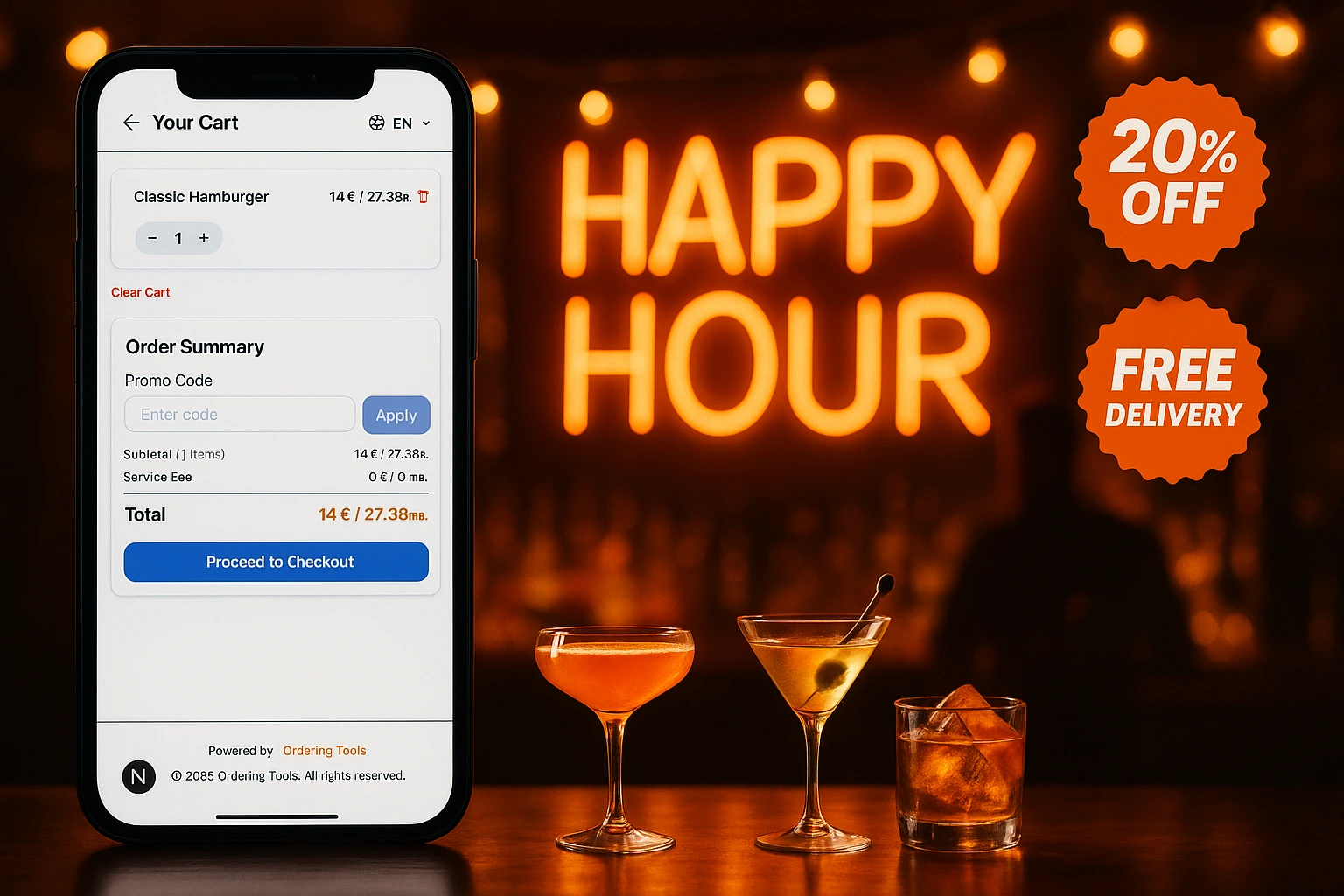
Turn Promotions into a Growth Lever
Most restaurants give discounts and hope for the best. With schedule-based promos, first-order incentives, and usage tracking, every promotion you run has a clear revenue goal.
Promotions That Pay for Themselves
A discount without a strategy is just lost margin. Ordering.Tools gives you promo codes and automatic discounts tied to real business goals: bring back inactive customers, fill empty Tuesday afternoons, or convert first-time visitors into regulars. Showcase them visually too: promo banners appear as a swipeable image slider at the top of your menu page and website, and a tap can copy the code or jump straight to the discounted products.
Every promotion has rules. Set minimum order amounts so discounts increase your average ticket. Limit usage per customer so you stay profitable. Link promos to operating hour schedules so Happy Hour runs itself. You decide who gets the discount, when, and under what conditions.
What Promotions Actually Do for Your Business
Convert First-Time Visitors
A first-order discount removes the hesitation barrier. Customers who order once are far more likely to come back without a discount.
Raise Average Order Value
Set a minimum spend threshold. Customers add items to reach it. Your average ticket goes up with every redeemed promo.
Fill Dead Hours
Tuesday 2-4 PM is empty? Schedule a promo for exactly those hours. Staff stays busy, kitchen stays productive.
See What Works, Drop What Doesn't
Every promo shows usage count and total discount given. Stop guessing which campaigns bring revenue and which just cost you money.
How It Works
Pick Your Goal
New customer acquisition? Higher order value? Clearing slow hours? Choose the discount type that matches: percentage off, fixed amount off, or free delivery.
Set the Rules
Minimum order amount, first-order only, usage limits, specific products or categories. Every rule protects your margin while driving the behavior you want.
Attach a Schedule
Link the promo to your operating hours. Happy Hour deals activate at 4 PM and stop at 6 PM. No one needs to remember to turn them on or off.
Measure and Iterate
Check usage, revenue impact, and redemption patterns. Duplicate what works. Kill what doesn't. Adjust thresholds based on real data.
Built for Restaurant Economics
Three Discount Formats
Each format serves a different goal. Pick the one that matches your campaign.
- Percentage off: best for category-wide campaigns (e.g., 15% off desserts)
- Fixed amount off: best for raising order value (e.g., 5 off orders over 30)
- Free delivery: removes the biggest friction point for delivery orders
- Stacking rules: control whether promos combine or stay exclusive
Targeting Rules That Protect Margin
Discounts without limits drain profit. Every promo can have conditions that keep you in control.
- Minimum order amount: discounts only kick in above a threshold you set
- First-order only: spend on acquisition, not on customers who'd order anyway
- Usage caps: limit total redemptions or per-customer uses
- Product or category targeting: discount specific items, not your entire menu
Automatic Discounts (No Code Needed)
Some promos work better when customers don't have to do anything. Automatic discounts apply at checkout without a code.
- Customers see the discount applied instantly on qualifying items
- Discount badges appear on eligible products in the menu
- No friction at checkout: no code to remember, no field to fill
- Ideal for site-wide sales, category promotions, and happy hour deals
Schedule-Based Activation
Link any promo to an operating hours schedule. It turns on and off by itself.
- Time-of-day targeting: lunch specials, happy hour, late-night deals
- Day-of-week rules: weekday-only or weekend-only promos
- Date ranges: holiday campaigns that start and end on exact dates
- Zero manual work: no one forgets to enable or disable the promo
Promotions That Restaurants Actually Run
First-Order Incentive
10% off the first order. Low enough to protect margin, high enough to remove hesitation. First-order-only flag ensures it can't be reused.
Happy Hour on Autopilot
20% off drinks, 4-6 PM weekdays. Linked to an operating schedule. Activates and deactivates without anyone touching the admin panel.
Free Delivery Over a Threshold
Free delivery on orders above 25. Customers add one more item to qualify. Your delivery orders get larger and the promo pays for itself.
Holiday or Event Campaign
Valentine's Day prix fixe, New Year's Eve special, local festival promo. Set the date range and forget it.
Move Slow Categories
30% off desserts this week. Target a category that needs a push. Track redemptions to see if it moved the needle.
Win-Back Code for Inactive Customers
Send a unique code to customers who haven't ordered in 30 days. Set a usage limit of 1 per customer. Measure how many come back.
Promotions as a Revenue Strategy, Not Just Discounts
Most restaurant promotions are created on impulse. A slow week, a new competitor, a holiday. The discount goes out, some orders come in, but nobody knows if it was profitable. Ordering.Tools changes this by attaching rules, schedules, and tracking to every promo you create.
Know Exactly What Each Promo Costs You
Every promotion shows how many times it was redeemed and the total discount given. Compare that against the orders it generated. You see the real cost of acquisition, not a guess. Over time, this data shows you which promo types work for your restaurant and which ones just eat margin.
Automatic vs. Code-Based: Use Both
Automatic promos work best for broad campaigns: happy hour, site-wide sales, category discounts. Code-based promos work best for targeted outreach: win-back emails, influencer partnerships, loyalty rewards. Use both depending on the goal.
Time-Based Promos Run Themselves
Link any promotion to an operating hours schedule. Lunch specials activate at 11 AM and stop at 2 PM. Weekend deals run only on Saturday and Sunday. Holiday promos start and end on exact dates. You set it once. The system handles the rest.
Start Running Promotions That Make Money
Create your first promo, set the rules, and let the system handle timing and tracking.