
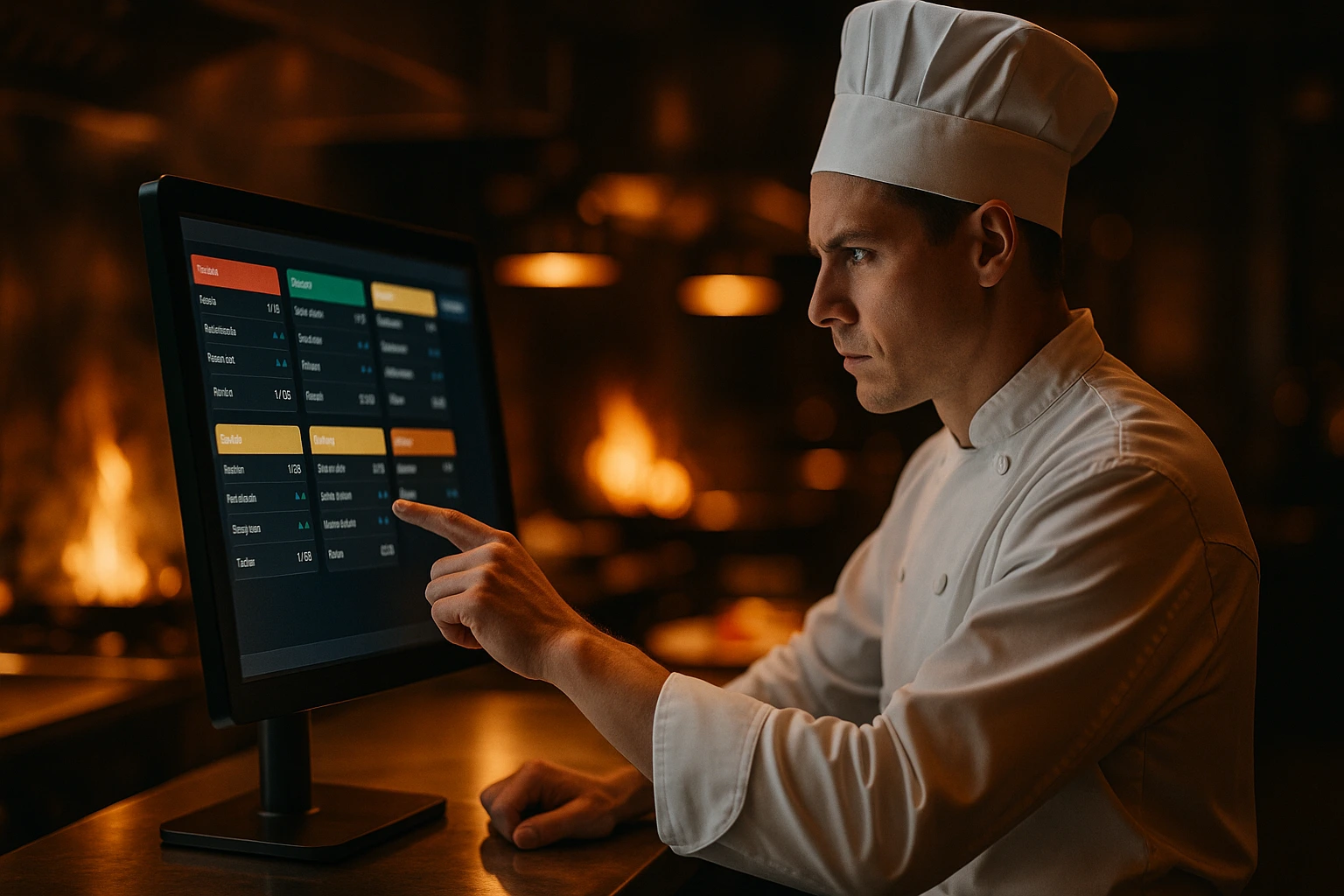
Kitchen Display System for Restaurants
Replace paper tickets with a real-time digital kitchen display. Set up stations for grill, cold kitchen, bar -- each screen shows only its own orders. Track prep status and get orders out faster.
What is a Kitchen Display System?
A Kitchen Display System (KDS) is a screen mounted in the kitchen that shows incoming orders in real time. As soon as a customer places an order, it appears on the KDS — no printer needed, no paper to lose. Kitchen staff can confirm, start preparation, and mark orders ready directly from the screen. With multi-station support, you create separate views for grill, cold kitchen, bar, or any section. Each station sees only the orders assigned to it.
Ordering.Tools KDS is built into the same platform as your admin panel. There are no third-party integrations or separate subscriptions. Open the KDS at any browser-connected screen, and it stays live via Pusher real-time — updating instantly when new orders arrive or statuses change.
Why Kitchens Love a Digital KDS
Zero Lost Tickets
Paper tickets get lost, wet, or ignored. The KDS shows every order on screen the instant it's placed — nothing slips through.
Faster Order Throughput
One tap moves an order from New → Preparing → Ready. With station filtering, the grill cook sees only grill items, the bar sees only drinks. Less clutter, faster prep.
Real-Time Sync
Powered by Pusher real-time. The KDS screen updates within milliseconds of an order arriving — no refresh needed.
No Extra Hardware Required
Any screen with a browser works — tablet, monitor, or smart TV. No proprietary hardware, no installation fees.
How the KDS Works
Enable KDS in Your Plan
KDS is available on Starter and Pro plans. Enable it in your venue settings and open the KDS screen on your kitchen display device.
Orders Appear Instantly
When a customer places an order, it appears on the KDS within seconds under the 'New' column — with all items, modifiers, table number, and order type.
Kitchen Manages Order Status
Staff tap to move orders through stages: New → Preparing → Ready. Each status change is reflected in the admin panel and triggers customer notifications.
Rush Orders & Scheduled Orders Highlighted
Rush orders are flagged visually. Scheduled orders show the pickup time so kitchen staff can plan prep without surprises.
KDS Features Built for Busy Kitchens
Three-Column Kanban Board
Orders are organized into New, Preparing, and Ready columns for a clear at-a-glance view of kitchen load. Each station gets its own color-coded filtered view.
- Color-coded columns and station indicators
- Order count badges per column
- Rush order visual flag
- Station-filtered view -- each section sees only its orders
Real-Time via Pusher
The KDS stays live without polling, using the same Pusher connection as your admin order dashboard.
- Sub-second order arrival on screen
- Connection indicator (online/offline)
- Auto-reconnect on network drop
- Manual refresh button for fallback
Full Order Detail on Each Card
Each order card shows everything the kitchen needs — items, quantities, modifiers, estimated prep time, and scheduled pickup.
- All modifiers and add-ons per item
- Estimated prep time display
- Scheduled order time highlighted
- Customer name and table reference
Works on Any Screen
No proprietary hardware required. Mount a tablet at each station -- grill, cold kitchen, bar -- and each screen shows only its assigned orders.
- Full-screen mode for kitchen mounting
- Dark theme optimized for kitchen lighting
- One screen per station, each with its own filtered view
- Works on Android, iOS, and desktop browsers
KDS Use Cases
Fast Casual & Quick Service
High-volume kitchens benefit most. Create stations for grill, fryer, and assembly. Each screen shows only its items -- no shouting across the line.
Dine-In Restaurants
Table numbers on every KDS card mean runners always know where to deliver. No more confusion between table 4 and table 14.
Delivery & Takeaway
Ready status triggers automatic customer notifications (SMS, push). Customers know when to come in — fewer awkward lobby waits.
Ghost Kitchens
Multiple order sources, one screen. The KDS aggregates all incoming orders regardless of channel into a single kitchen view.
Catering & Events
Scheduled orders on the KDS let catering kitchens plan production batches well in advance, with time-flagged cards.
Bars & Cafés
Set up a bar station and the barista sees only drink orders on their tablet. Food orders go to the kitchen station. No noise, no confusion.
Replace Paper Tickets with Real-Time Digital Kitchen Displays
Paper kitchen tickets are a 30-year-old technology. They get lost, they pile up, and they require a printer that jams at the worst possible moment. A Kitchen Display System eliminates all of that. Ordering.Tools KDS is built directly into your ordering platform — no integration required, no monthly add-on fee.
Real-Time Order Updates via Pusher
The Ordering.Tools KDS uses Pusher WebSockets to push order updates to the kitchen screen in under a second. When a customer places an order online, it appears on the KDS almost instantly — far faster than a printer warming up. The connection status indicator lets kitchen staff know at a glance whether the KDS is live.
Multi-Station Support for Every Section
Create stations in the admin panel -- grill, cold kitchen, bar, desserts -- and assign products to each one. Every station gets its own color-coded, filtered KDS view showing only relevant orders. When kitchen staff tap 'Ready', the admin order list updates, SMS notifications fire, and web push alerts go out. Status changes sync across all stations and the admin panel instantly.
No Proprietary Hardware, No Installation Fees
Unlike legacy KDS systems that require expensive proprietary hardware and installation contracts, Ordering.Tools KDS works on any browser-connected screen. An old tablet, a smart TV, or a repurposed laptop — if it has a browser, it works as a KDS. Mount it in the kitchen and you're live in minutes.
Get Orders to the Kitchen Faster
Enable KDS today and replace paper ticket chaos with a real-time digital kitchen display.
Related features
Other tools restaurants use alongside this one.
Stripe, MyPOS, BORICA, Barsy POS, and cash. When one method fails, customers switch to another -- without losing their order.
Learn moreDiners scan a QR, save a card on the bill, eat, and walk out. The card auto-charges when the table goes idle — no flagging down a server, no waiting on a check.
Learn moreStop paying 15-30% commission on every delivery order. Define delivery zones on a map, validate addresses at checkout, and set pricing per zone -- so you control the margins, not a third-party platform.
Learn moreManage your own drivers, optimize routes, and track every delivery in real time — directly from Ordering.Tools.
Learn more