
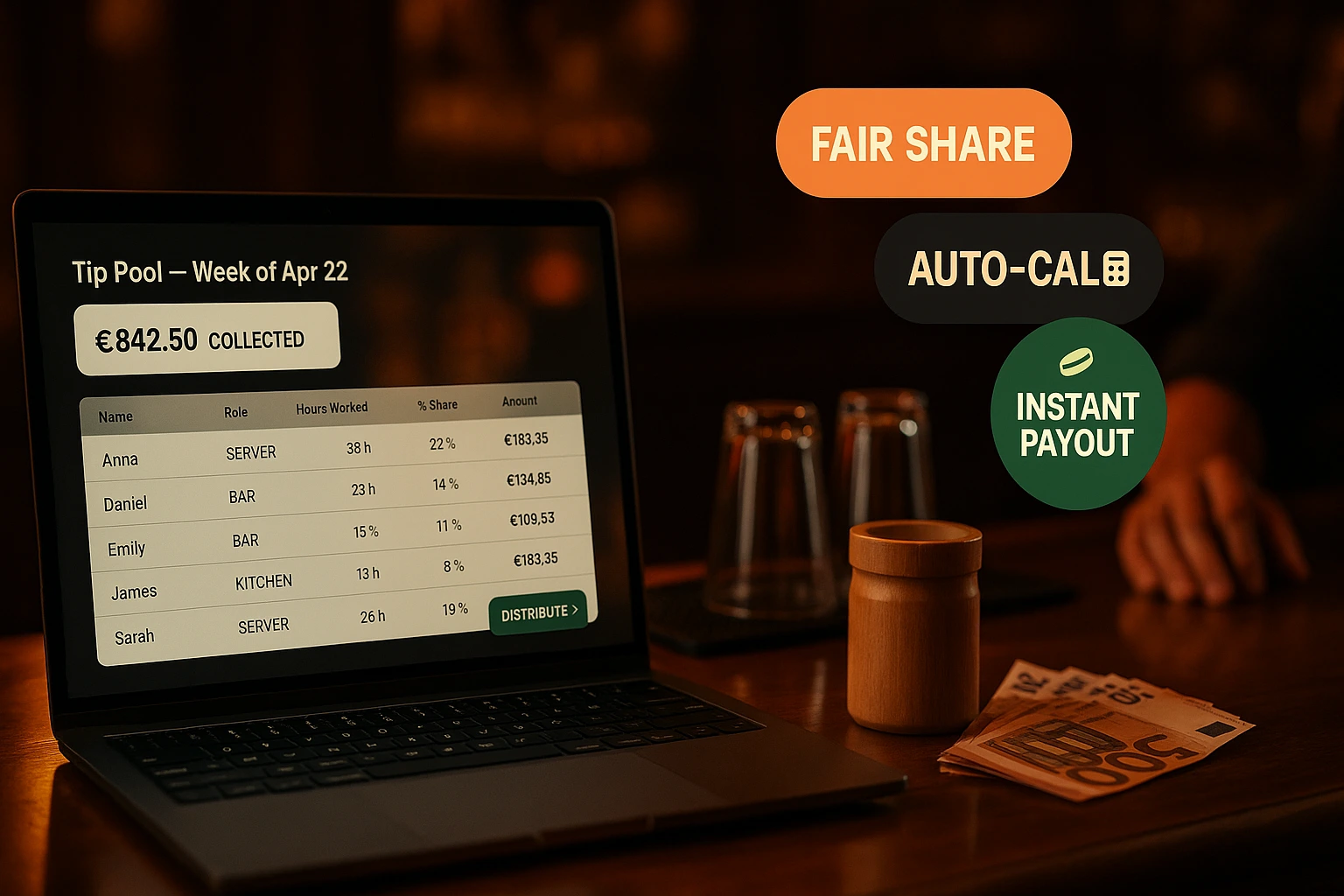
Tip Pool — Distribute tips by role and clocked hours, atomically
Open a tip pool for a period, define percentage splits per role (60% servers / 30% kitchen / 10% bar), and the platform distributes the total across staff in proportion to their clocked hours in each role. One transaction, one audit row, zero spreadsheets.
What is a tip pool in Ordering.Tools?
A tip pool is a single distribution event for a defined period — typically a shift, a day, or a week. You open the pool with a periodStart and periodEnd; the platform sums every COMPLETED BillPayment.tipAmount in that window; you bind a TipDistributionRule (configurable percentage per role, summing to 100); and on Distribute the platform writes per-staff TipPoolDistribution rows in proportion to each staff member's clocked hours in their role during the period. Pool moves OPEN → DISTRIBUTED → LOCKED.
The whole distribution is one database transaction. The total, the per-staff rows and the audit entry are written together, so a pool is never left half distributed. Once you have checked it, lock the pool and nothing in it can change.
Why this is the tip-pool layer your team will trust
Atomic distribution, no half-states
The pool moves OPEN → DISTRIBUTED in a single $transaction with the per-staff rows. If anything fails, nothing applies. No half-distributed pools, no orphan rows, no manual cleanups.
Distribution by hours-in-role, not headcount
Two servers worked the same Friday, one for 4 hours and one for 8. A headcount split gives them the same share, which feels unfair. A split by hours in role gives the 8-hour server twice as much. Every row records the hours, the role, the percentage and the amount, so a manager can show each person how their share was reached.
Configurable rules, no preset bias
Percentage splits per role (SERVER, KITCHEN, BAR, HOST) are venue-configurable. Sum across roles must equal 100 — enforced at the API layer. We don't pre-load a 'default' split because tip-pool ethics differ by country and venue type.
Source from BillPayment.tipAmount, never invented
The pool total is a sum over completed BillPayments in the period — the same canonical source the operator already uses for payment reports. Tips get to staff exactly the way the customer paid them; no double-counting, no missed channels.
How the tip pool works
Define the distribution rule
A rule has a name (for example 'Standard 60/30/10') and a percentage per role, and the rows must add up to 100; a rule of 99 or 101 is refused. Rules are created through the Ordering.Tools API or MCP, and one of them can be marked as the default.
Open a pool for the period
Open Staff → Tip Pool, click + Open period. Pick periodStart, periodEnd, and the rule to apply. The pool starts in OPEN status with totalCents = 0 — the actual sum gets computed at distribution time.
Distribute
Click Distribute on the pool card. The platform sums BillPayment.tipAmount for COMPLETED payments in the window, aggregates clocked minutes per staff per role from ClockEvents, computes per-row percentage shares, and writes everything atomically. Pool moves to DISTRIBUTED.
Review and lock
Once you have reviewed the distribution, click Lock. The pool moves to LOCKED and nothing in it can change any more. The per-staff rows stay available through the API for whoever runs your payroll.
Tip Pool — feature deep-dive
Atomic distribution via $transaction
The full distribution math + the per-staff row inserts + the StaffAuditLog entry land in one Prisma transaction. Either everything commits or nothing does — there's no 'half-distributed' state to clean up manually.
- Pool status guard: must be OPEN to distribute
- Rule must sum to exactly 100 (±0.01 tolerance for decimal arithmetic)
- All-or-nothing — TipPoolDistribution rows + pool.status flip in one txn
- Audit row records totalCents, allocated, rowsCreated, and the actor
Hours-in-role share calculation
Inside each role bucket (e.g. SERVER: £498 from a £830 pool at 60%), the share splits proportionally to each staff member's clocked minutes in that role during the period. Last-row residual handles cents rounding so the sum equals the bucket exactly.
- Reads from the same ClockEvent stream that powers timesheets
- Resolves each user's role from their latest StaffShiftAssignment in the period
- Last-row residual handles cents rounding (no orphan pennies)
- Empty role buckets (zero hours) skip cleanly without errors
Configurable distribution rules
Rules are records of their own: name them, mark one as the default and archive old ones. Each pool uses one rule, so a different split for a different period is a matter of picking another rule.
- Several rules per venue, one chosen for each pool
- isDefault flag: the default rule is preselected when you open a period
- Sum to 100 checked when the rule is saved and again before distribution
- Soft-archive (isActive=false) preserves historical rules used by past pools
LOCKED status for finalised pools
Once you're confident the distribution is correct, lock the pool. The row's status becomes LOCKED and no further mutations are allowed. Past pools that have been paid out should always be locked — it's the audit cleanest signal.
- Status guard: must be DISTRIBUTED to lock
- LOCKED pools cannot be re-distributed or edited
- The pool card shows its status: Distribute appears only on an OPEN pool, Lock only on a DISTRIBUTED one
- Audit log records the lock event with the actor
Where the tip pool earns its keep
Friday-night service tip distribution
Friday night ends with €830 in tips. Open a pool for the shift and distribute it against the 60/30/10 rule. Five servers split €498 by hours, three kitchen staff €249, one bartender €83. The rows are ready for payroll on Monday morning.
Weekly tip pool, all sources
Some venues distribute weekly. Open a 7-day pool and distribute it on Sunday night. The pool takes every completed tip in the venue for those seven days, from the table, pickup and delivery alike.
A different split for a different week
During a festival week the bar carries more of the night. Make a second rule with a bigger bar share and use it for that week's pool; the regular weeks keep the standard rule. Tips are not split by source: every pool takes all completed tips in its period.
A one-off pool for an event
A private event on a Saturday brings in more tips than a normal night. Open a one-off pool for just those hours, bind your standard rule and distribute. Every completed tip paid in that window goes into the pool and is split among the people who clocked in during it.
End-of-month review
Open Staff → Tip Pool and see every pool of the month with its period, total, status and rule. Lock the ones you have reviewed; look into the surprising ones before you lock them.
Answering 'what is my share?'
When someone asks how their share was worked out, the answer is on their row: hours worked in the role, the percentage of the role's bucket and the amount. The manager can show it instead of defending a number.
Tips that staff trust because they can verify the math
The hard part of a tip pool is not calculating the split, it is making the split believable. Payroll software that hands a server a number with no breakdown breeds suspicion. Ordering.Tools stores every distribution row with the staff member's hours, role, percentage share and amount, so a manager can explain any share, and the audit log makes every past distribution reproducible.
Why hours-in-role beats headcount
Headcount-based tip splits are the simplest mental model — 'three servers, split equally'. But they punish the staff member who covered an extra hour and reward the one who left at 21:00 sharp. Hours-in-role splits restore proportional fairness: clocked-in time is the canonical measure of presence, and the system already has it from ClockEvents. The implementation is one SQL aggregation per pool — no hand-counting, no spreadsheets.
Sum-to-100, enforced at every layer
If a manager creates a tip rule with rows adding up to 99% (one role forgotten), the next distribution would quietly leave 1% of the pool unallocated. Ordering.Tools checks the sum twice: saving a rule that does not add up to 100 is refused with a 400, and the distribution checks it again before any split is calculated. No silent gaps, no messages asking where €8 went.
Source: BillPayment.tipAmount, status COMPLETED
Where do the tips actually come from? In Ordering.Tools every customer payment writes a BillPayment row with tipAmount as a separate decimal column. The tip pool aggregates COMPLETED BillPayments only — refunded payments are excluded automatically. PENDING and AUTHORIZED states don't count until they complete. This means a customer who tipped on a card that later bounced doesn't enter the pool, and a refunded order doesn't either. Tips that get to staff are tips the venue actually received — the chain of custody is one query deep and fully reproducible.
Distribute tips fairly, atomically, transparently
Set the split, open a pool, press Distribute. Premium feature, included in Staff Management.
Related features
Other tools restaurants use alongside this one.
Set hourly rates per staff member, let them clock in from their phone with optional location verification, and export the timesheet to CSV or XLSX in one click. Every wage change is versioned; every clock event is append-only; every adjustment leaves an audit trail.
Learn morePer-staff dashboards with orders served, average ticket, on-time rate, voided items, and customer feedback — rolled up nightly from your live order data, not from a separate POS export.
Learn moreCompliant report generation for Bulgarian employers — pull hours from clock events, apply the year's official insurance and tax rates, and download files ready for the NRA portal and your bank.
Learn moreUpload once, get notified before they expire. Manager-uploaded only (anti social-engineering); staff see their own copies on their phone; expiry watcher pages you 30/14/3 days out.
Learn more