
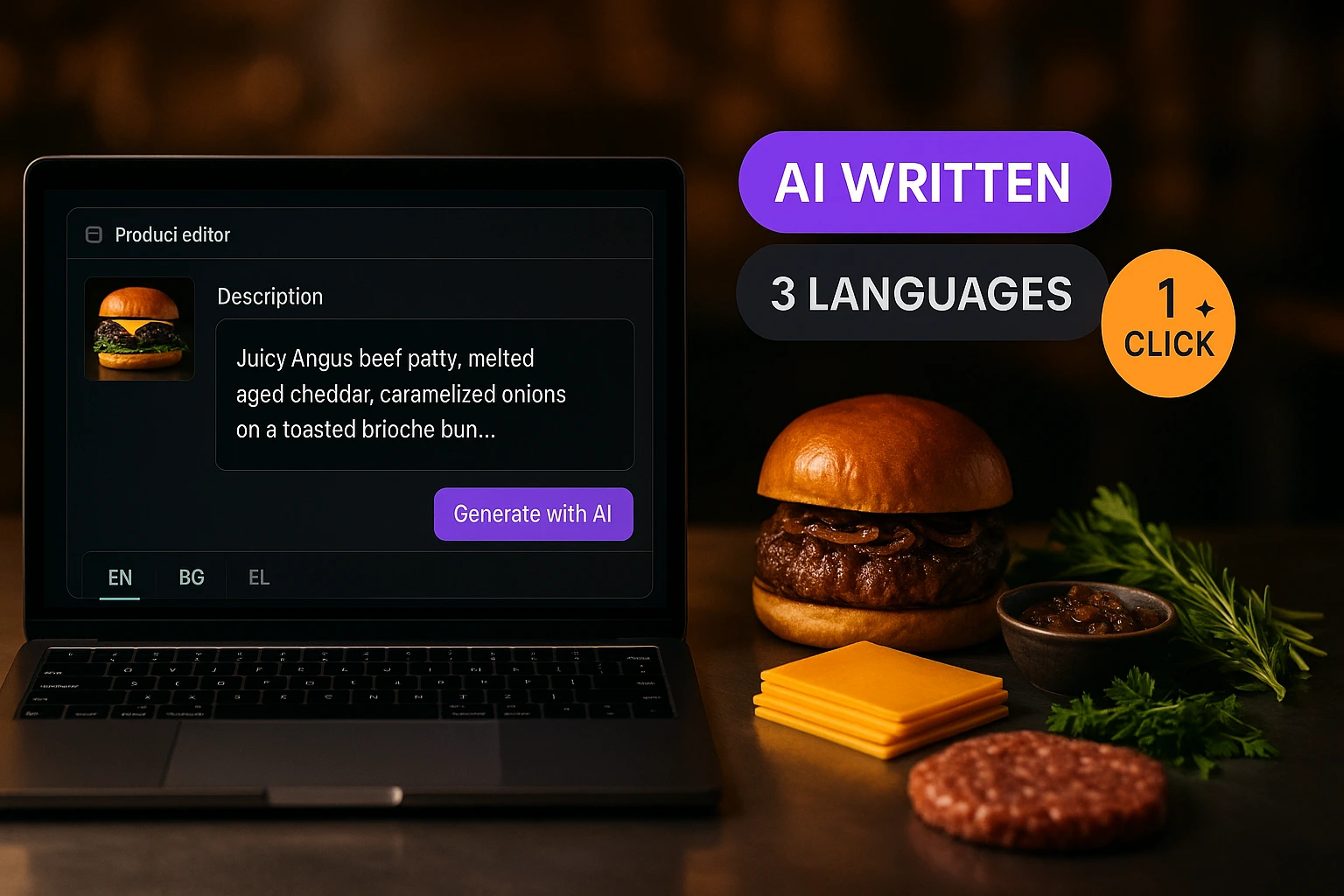
AI-Generated Product Descriptions
Stop staring at a blank text field. Generate product descriptions in one click for every language your menu supports.
What Are AI-Generated Descriptions?
Writing product descriptions takes time. Writing them in two, three, or four languages takes even more. The AI Descriptions feature generates a ready-to-use description for any product based on its name, category, and price. One click, and you have a draft — in English, Bulgarian, Greek, Turkish, or any combination.
You stay in control. Every generated description appears in the editor for review before saving. You can accept it as-is, edit it, or regenerate. There is also an "improve existing" mode that rewrites your current description to be clearer and more appealing — without changing the meaning.
Why This Saves You Hours Every Week
Menu Setup in Minutes, Not Hours
Adding 50 products with descriptions used to take a full day. Now you enter names and prices, then generate all descriptions in bulk. The slow part is gone.
Descriptions in Every Language
Generate descriptions directly in EN and BG. No copy-pasting into a translator. No awkward machine translations that miss food terminology.
Consistent Quality Across the Menu
AI keeps the same tone and detail level across all products. No more "Delicious pizza" next to a 3-paragraph essay about the salad.
Improve What You Already Have
Already have descriptions but they are thin or inconsistent? The "improve" mode rewrites them to be more descriptive while keeping the original meaning intact.
How It Works
Open Any Product
Navigate to the product editor in your admin panel. You will see a "Generate with AI" button next to the description field.
Click Generate
The AI reads the product name, category, and price. Within seconds, a description appears in the text field — ready for review.
Review and Edit
Read the generated text. Edit anything you want to adjust. The description is not saved until you confirm — you are always in control.
Generate for Other Languages
Switch to another language tab and generate again. Each language gets a native description, not a translation of the English one.
AI Description Features
One-Click Generation
Select a product, click the button, and get a description. No prompts to write, no settings to configure.
- Works from the product name and category alone
- Generates in under 3 seconds
- Appears directly in the description field
- No external tools or accounts needed
Multi-Language Support
Generate descriptions natively in English, Bulgarian, Greek, and Turkish. Each language gets its own version written from scratch — not a translation.
- EN and BG supported out of the box
- Each language generated independently
- Food-specific vocabulary in each language
- Respects the venue's enabled languages
Improve Existing Descriptions
Already have descriptions? The "improve" mode takes your current text and makes it more detailed and consistent without changing the meaning.
- Keeps original meaning intact
- Adds missing detail (ingredients, preparation)
- Fixes grammar and awkward phrasing
- Works in both EN and BG
Admin Review Before Save
Nothing goes live without your approval. Every AI-generated description appears in the editor for you to review, edit, or reject.
- Generated text is a draft, not a final publish
- Full editing control before saving
- Regenerate if the first result is not right
- Works with the standard product save flow
Use Cases
New Venue Onboarding
Setting up a new venue with 80+ products? Enter names and prices, then generate all descriptions at once. What used to take a day now takes an hour.
Seasonal Menu Updates
Adding a new seasonal section? Generate descriptions for the new items and keep the quality consistent with the rest of your menu.
Multi-Language Expansion
Adding a second language to your menu? Generate BG or EN descriptions for all products that currently only have one language.
Cleaning Up Thin Descriptions
Your menu has products with one-word descriptions or no description at all. Use "improve" mode to fill in the gaps across the whole menu.
Franchise Consistency
Multiple venues with the same menu but inconsistent descriptions? Regenerate them all with AI and get uniform quality across locations.
Menu Migration
Moving from another platform where descriptions were lost or incomplete? AI generation fills in what is missing so your menu looks complete from day one.
Why AI-Generated Descriptions Matter for Restaurant Menus
A product without a description is a missed opportunity. Customers browsing a digital menu decide what to order based on what they read. A name and a price tell them what something costs. A description tells them why they should want it. Most restaurant menus have incomplete or inconsistent descriptions because writing them is tedious and time-consuming. AI generation removes that bottleneck entirely.
Native Multi-Language, Not Machine Translation
The difference between a translated description and a natively written one is immediately noticeable. Translated text often misses food-specific terminology or uses awkward phrasing. The AI Descriptions feature generates each language independently, using vocabulary and sentence structures that are natural in that language. A Bulgarian description reads like it was written by a Bulgarian speaker, not run through Google Translate.
Human Review Stays Central
AI generates the first draft. You make the final call. Every generated description appears in the standard product editor where you can read it, change it, or throw it out. Nothing publishes to your live menu without your explicit save action. This keeps you in control while eliminating the blank-page problem that slows down menu setup.
From Hours to Minutes
Venue owners who previously spent an entire afternoon writing descriptions for a new menu section now complete the same task in minutes. The time saved compounds — seasonal updates, new locations, language additions all become faster. The description quality stays consistent because the AI applies the same level of detail to every product, whether it is the first or the fiftieth.
Stop Writing Descriptions by Hand
Generate product descriptions in one click for every language your menu supports.
Related features
Other tools restaurants use alongside this one.
Stop hoping customers will remember to leave a review. Every completed order triggers a one-tap rating prompt by email or SMS — happy customers go straight to Google, unhappy ones go privately to your inbox.
Learn moreStop tab-switching between Google, Yelp, Facebook, TripAdvisor, and Foursquare. We pull every review live, you reply once with an AI-drafted response, and never miss the SLA again.
Learn moreReach your customers directly via Email, SMS, WhatsApp, and Viber — with GDPR-compliant consent built into every order.
Learn moreCatalog ads that show real dishes at today's prices, synced automatically from your menu — and every tap lands on that dish on your own ordering site.
Learn more