
Group Orders
Let customers order together from one table or address — everyone adds their own items, and everyone pays their own share.
How Group Orders Work
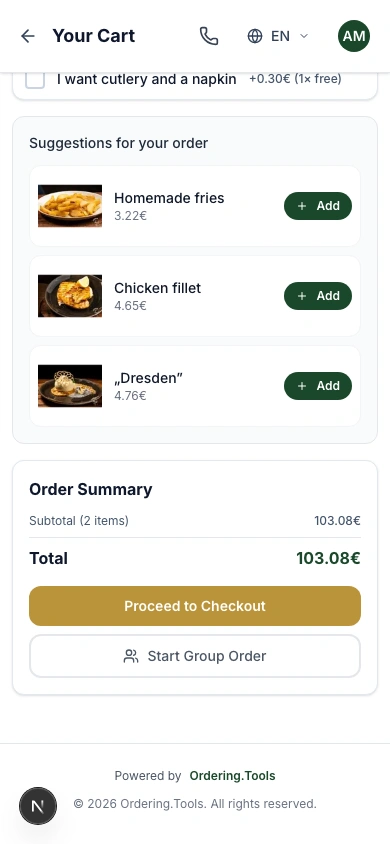
A customer opens your menu, adds items to their cart, and taps 'Start Group Order' instead of checking out alone. This creates a shared order and a link they can send to anyone — friends, family, coworkers. No sign-up is required for the people who join; they just open the link.
Group Orders work for any order type your venue supports — pickup, delivery, or dine-in. No separate setup is needed on your side.
Starting the Group Order
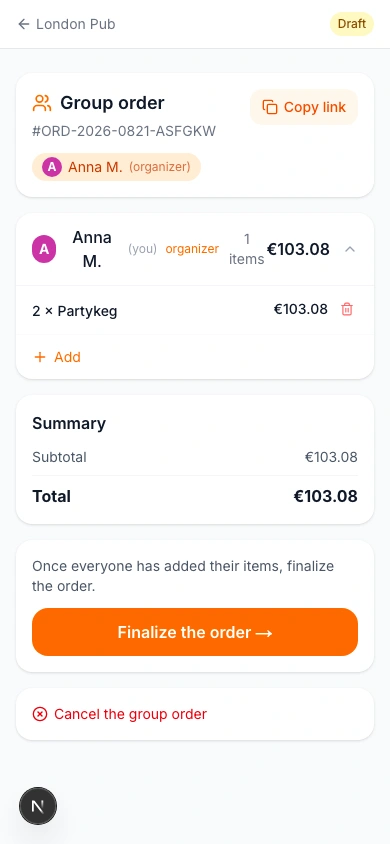
After tapping 'Start Group Order', the customer lands on the shared group order page. It shows their own items, the running total, and a 'Copy Link' button at the top. They copy the link and send it however they like — a text message, a group chat, an email.
The link stays open until someone finalizes the order, so there's no rush — participants can join and add items whenever it suits them.
Everyone Adds Their Own Items
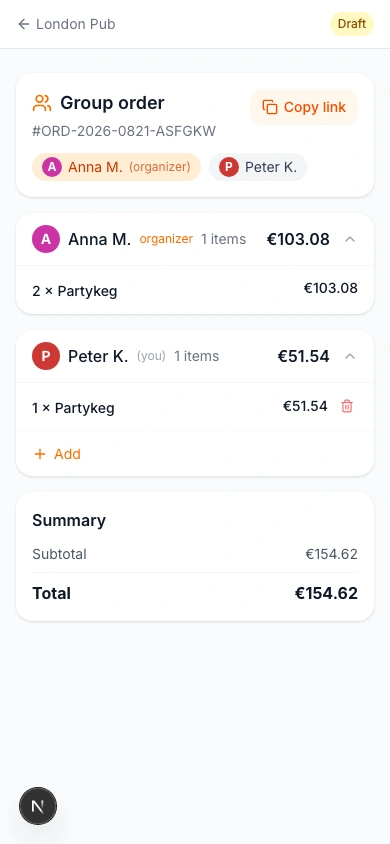
Anyone who opens the link sees the group order and can tap 'Join' to add their own items. Each participant's items and running total stay separate and clearly labeled with their name — there's no mixing up who ordered what.
A participant doesn't need an account to join — the same lightweight sign-in used everywhere else on your storefront applies here too.
Finalizing the Order
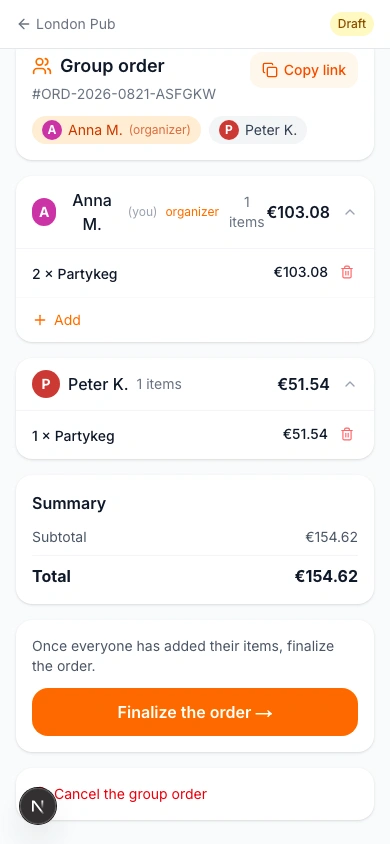
Once everyone has added what they want, the organizer taps 'Finalize the Order', which hands off to your venue's standard checkout — same contact form, order-type rules, and payment options as any other order. The kitchen receives one complete order with every participant's items.
Nothing is sent to the kitchen until the order is finalized — participants can keep adding or removing items right up until then.
Ready to Get Started?
Apply what you've learned and set up your restaurant in minutes