
Stop Selling Dishes You Can't Make: Recipe-Level Stock for Online Orders
An online order arrives for a dish the kitchen finished an hour ago — and now someone is calling, substituting and refunding. Here is how recipe-level stock keeps the online menu honest: every sale deducts ingredients, and when one runs out, every dish that needs it goes off sale by itself.
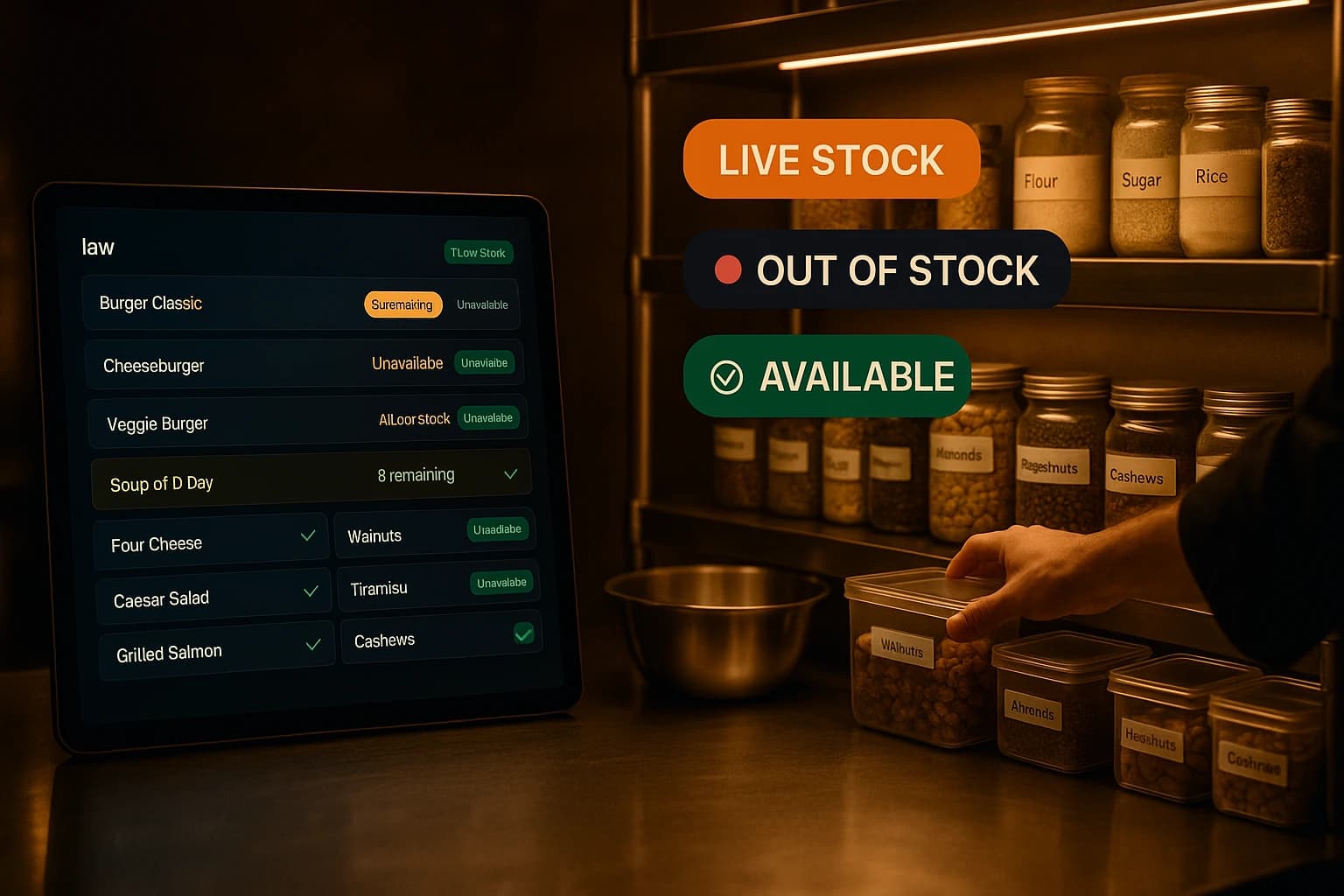
It is 20:40 on a Saturday and an online order lands: two portions of the slow-cooked lamb — the last thing you would want to say no to. Except the kitchen finished it an hour ago. Now someone has to stop what they are doing, call the customer, offer a substitute they did not ask for, process a refund, and apologise for a mistake nobody actually made.
The dish was still orderable because the menu does not know what the kitchen knows. The lamb was gone from the pass, crossed off the board, obvious to every person in the kitchen — and still for sale on your website, on your QR menu, and on every delivery platform that lists you. The order was doomed before it arrived.
Why Online Menus Go Stale
In most restaurants, availability lives in people's heads and on a scrap of paper by the pass. When something runs out, the kitchen knows instantly. The website finds out only if someone stops, opens the admin panel, finds the dish and switches it off — a manual step that competes with a full rail of tickets. Mid-rush, it loses every time. It is not laziness; it is that the person who knows is the busiest person in the building at exactly that moment.
Dine-in has a safety net: a waiter can catch the order at the table and steer the guest to something else before anything is committed. An online order has no such buffer. It goes straight from the customer's phone to your kitchen, payment attached, and the failure is discovered only after the money has moved. The same stock-out that costs a dine-in guest ten seconds costs an online customer their whole evening plan — and costs you the phone call, the refund and the apology.
Every "sorry, that's finished" call after an online order is a double loss. You refund a sale you could not fill, and you teach a customer that your menu cannot be trusted — and a customer who has been burned once reads every future stock-out as a pattern.
Recipe-Level Stock: Teach the Menu What the Kitchen Knows
Recipe-level tracking starts from a simple idea: each dish knows what it is made of. You give the slow-cooked lamb a recipe — so much lamb shoulder, so much stock, so much of the spice mix — the way you would write it down for a new cook. Add-ons can carry recipes too, so the extra cheese on a burger deducts cheese, not nothing.
From then on, every confirmed order deducts its ingredients from stock by itself. Nobody types anything during service. And it works in both directions: if an order is cancelled or an item is voided, the ingredients go back. The stock figure stops being "what we counted on Monday" and becomes a running number that moves with every sale.
The part that ends the 20:40 phone call is what happens at zero. Ingredients do not run out one dish at a time — one ingredient runs out and takes several dishes with it. When the lamb shoulder hits zero, the slow-cooked lamb goes off sale online, and so does the lamb wrap and the weekend special built on the same braise. No list to remember, no admin screen to open mid-rush. The menu simply stops offering what the kitchen can no longer make.
This is the difference between a menu and a stock system dressed up as one. A static menu describes what you sell. A recipe-linked menu describes what you can make right now.
What Follows Once the Menu Knows
Warnings before service, not during it
Each ingredient carries a minimum level you set — the point below which Saturday gets uncomfortable. Anything under it stands out in your ingredient list, and an hourly check can go further: it drafts a purchase order to your preferred supplier for the shortfall, priced from that supplier's pack sizes. Drafts are all it creates. Nothing is sent to anyone until you review and approve it — the system prepares the paperwork, you keep the decision.
Sold-out travels to the delivery platforms too
If you also sell through delivery marketplaces, a stale menu there is worse — the order arrives with a courier already assigned. Live availability sync is one checkbox, off by default. Switch it on and a dish going out of stock with you reaches the connected platforms the moment it happens — whether it was switched off in the admin, 86'd on the kitchen screen, or ran out through the recipe deduction. Same moment, same event, every channel.
You finally see what each dish costs to make
A side effect of writing recipes down is that food cost stops being a guess. Once each dish knows its ingredients and each ingredient carries its cost, you can see margin per product over any period. The same recipes that keep the menu honest also power a per-dish margin report, so you learn which of your best sellers actually earn their place.
Where to Start
Do not write recipes for the whole menu. Most of your dishes never run out mid-service — the fryer items, the standing pantry dishes, the drinks. The problem lives in a handful of products, and that is where the first recipes should live:
- •The Saturday specials — made in one batch, gone when they are gone
- •Slow-cooked and braised dishes — the ones you physically cannot make more of tonight
- •Fish and anything bought fresh that morning
- •Desserts prepared as a fixed number of portions
- •Any dish that depends on one critical ingredient you regularly run low on
Five to ten dishes will usually cover almost every stock-out you had last month. And if recipes are still more than you need, the simpler layer is always there: a manual availability toggle and plain portion counters work without any recipe at all — you just take on the job of remembering, which is exactly the job this exists to remove.
The Inventory Depth feature page walks through ingredients, recipes and automatic deduction screen by screen, and the Inventory Management feature page covers the simpler availability toggles and counters that work without recipes. If marketplace orders are part of your volume, the Marketplace Orders feature page shows how availability stays in step across channels. And for the wider discipline — counting, receiving, chasing variances — our restaurant inventory management guide is the place to start.
Try Ordering.Tools for Free
Set up your digital menu in under 2 minutes. No credit card required.