
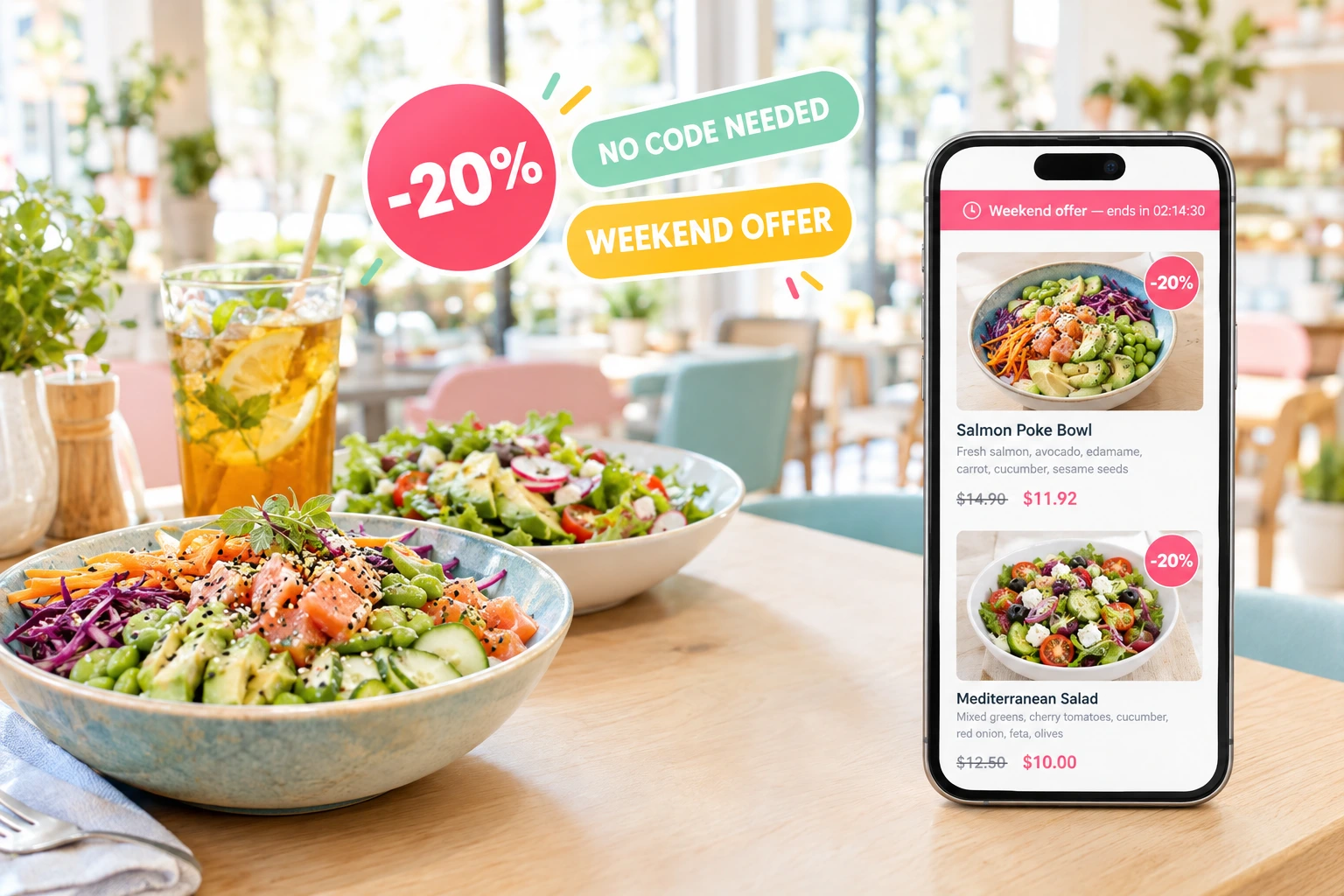
Discounts That Apply Themselves
No code to type. The guest sees the old price crossed out on the dish, or the discount as a line in the basket — and pays exactly that.
What an Automatic Promotion Is
In Ordering.Tools, an automatic promotion is a discount without a code. You create it in the same place as your promo codes and tick “Automatic promotion”. From then on it applies to every order that meets its conditions, without the guest doing anything.
It comes in two shapes. Point it at dishes or categories and it is a dish discount: the menu shows the old price crossed out next to the new one, with a red −20% or −€5 badge. Point it at nothing and it is a discount on the whole order: one line in the basket and at checkout and, for a percentage, a −N% badge on the Pickup and Delivery buttons.
Why Restaurants Use Automatic Promotions
Nothing for the Guest to Remember
No code to find, copy or type. The discount is already in the price when the guest looks at the dish.
The Price Shown Is the Price Charged
When the order is placed, the server works out the discount again with the same rules the menu used. A discounted dish is never billed at full price.
Promote the Dishes You Choose
Put a whole category or a few dishes on offer. The crossed-out price on the card does the talking.
Starts and Stops on Its Own
Give it dates, a schedule or a use limit and it switches itself on and off. Nobody has to remember.
How It Works
Create a Promotion
In Promotions, create a new one and tick “Automatic promotion”. There is no code to invent.
Choose What It Covers
Pick dishes or categories for a dish discount, or leave both empty for a discount on the whole order.
Set When and for Whom
Dates, a schedule, order types, a use limit — and, if you need them, a minimum order, first order only or a customer segment.
Guests See It Right Away
Dish discounts appear on the menu, on the dish page and in the dish sections of your website. An order-wide discount appears in the basket and on the order-type buttons.
How Automatic Promotions Behave
Crossed-Out Prices on the Menu
A dish discount is visible before anything goes into the basket.
- A red badge with the discount: −20% or −€5
- The old price crossed out, the new price beside it
- On menu cards, the dish page and your website’s dish sections
- A percentage applies to the dish and size price, not to paid extras
A Discount on the Whole Order
A promotion with no dishes or categories is a discount on the order, charged once.
- One clear line in the basket and at checkout
- A −N% badge on the Pickup and Delivery buttons when it is a percentage
- Calculated on the basket, including paid extras
- Dishes that already carry their own promotion are not discounted twice
Conditions, Checked When They Can Be
Some conditions are known while the guest browses, others only in the basket.
- Dates, schedule, order type and use limit already apply on the menu
- First order, a segment or a minimum order: applied in the basket once the guest qualifies
- Such promotions are never shown as menu prices, so nobody sees a price they will not get
- Two promotions on the same dish never add up — only one applies
Fits the Rest of Your Checkout
Automatic promotions follow the same rules as everything else at checkout.
- They add up with a typed code, or a code replaces them — your venue setting
- Created on the main restaurant, valid at every branch of the group
- Limited to pickup, delivery or table orders, or valid for all of them
- Recalculated on the server for every order, never taken from the browser
Also Included
Other ways to reward a basket without a code.
Offer Countdown
A ticking “Ends in 02:14:09” on promo banners, the public codes strip and the code applied in the basket, for offers that end within 72 hours. Off until you switch it on.
Gift With Purchase
Above a spend you set, the guest picks one free item from a short list. The kitchen, stock and receipt see it as an ordinary line at zero. One gift per order.
Promo Banners
An image slider at the top of your menu or website. A tap opens the discounted dish or category, or copies a code.
Automatic Promotions Restaurants Run
Category Sale
−20% on all pizzas this week. Every pizza card shows the crossed-out price, and the offer ends on the date you set.
Discount on Every Delivery Order
−10% on all delivery orders. The Delivery button carries a −10% badge, and the discount is one line at checkout.
Launch Price for a New Dish
A new dish at a lower price for its first two weeks. Its card shows the old and the new price side by side.
First-Order Discount Without a Code
−15% on the first order, applied in the basket once the guest is recognised as new — by account, phone or e-mail.
Spend More, Save More
−10% on baskets above 40 €. The discount appears in the basket the moment the goods reach the minimum.
Clear Dishes Before a Menu Change
Dishes leaving the menu next month at −30% until the end date. The menu shows the offer; the promotion ends by itself.
Automatic Restaurant Discounts, No Promo Code Needed
Many guests never type a promo code: they do not have one, they forget it or they give up looking for it. An automatic promotion removes that step. The discount is part of the price the guest sees, so the offer reaches everyone who opens the menu, not only those who were sent a code.
Dish Discount or Order Discount
A promotion that names dishes or categories is charged on those dishes: each line shows its own discount. A promotion that names nothing is a discount on the order: one line at the bottom, stored as the order’s discount. Keeping the two apart means a −10% delivery offer is not shown as a “product discount” under every dish.
The Menu and the Bill Always Agree
The browser never decides the price. When an order is placed, the server finds the promotions that are live at that moment for that order type and applies them again. A guest who saw a crossed-out price is charged the crossed-out price, and a promotion that has just ended is not applied.
Make the Deadline Visible
Switch on the offer countdown and promo banners that end within 72 hours show a ticking timer. Add a banner to the menu that opens the discounted category and give it the promotion’s end date — the guest sees how long the offer lasts. The crossed-out price on the dish card itself has no timer.
Questions About Automatic Promotions
Do guests need an account to get an automatic promotion?
No, for most promotions. Only a promotion limited to a customer segment needs a signed-in guest. A first-order promotion recognises a new guest by account, phone or e-mail.
What if a dish is in two automatic promotions?
Only one of them applies to it — discounts on the same dish never add up. An order-wide promotion also skips dishes that already carry their own promotion.
Can an automatic promotion give free delivery?
No. Free delivery comes from a promo code. An automatic promotion is a percentage or a fixed amount, on dishes or on the whole order.
Why is my promotion not showing on the menu?
A promotion that depends on the guest or the basket — first order, a segment or a minimum order — is applied in the basket and never shown as a menu price. Otherwise, check its dates, schedule, order types and use limit.
Does it work together with promo codes?
Your venue decides. Either they add up, or there is one discount per order — then a typed code replaces the automatic promotion, and the checkout shows the new total before payment.
Where does the −N% badge on Pickup and Delivery come from?
From an automatic percentage promotion that names no dishes, no categories and no guest conditions. Its value appears on the button of each order type it is valid for. A dish-level promotion never lights up those badges, because it does not cover the whole order.
Put Your First Dish on Offer
Create an automatic promotion, choose the dishes, and the menu shows the new price.
Related features
Other tools restaurants use alongside this one.
Most restaurants give discounts and hope for the best. With schedule-based promos, first-order incentives, and usage tracking, every promotion you run has a clear revenue goal.
Learn moreYou're updating your menu in 5 different places. Every price change means editing your website, your QR menu, your ordering page, and hoping nothing gets missed. Update once in Ordering.Tools -- it syncs everywhere instantly.
Learn moreStop relying on staff to switch menus and update hours. Set your schedules once. Breakfast, lunch, happy hour, holidays -- everything activates and deactivates on its own.
Learn moreTie a promotion to the hours it should run and to the way guests order. Cheaper pickup, a lunchtime discount, drinks off in the early evening — on and off by themselves.
Learn more