
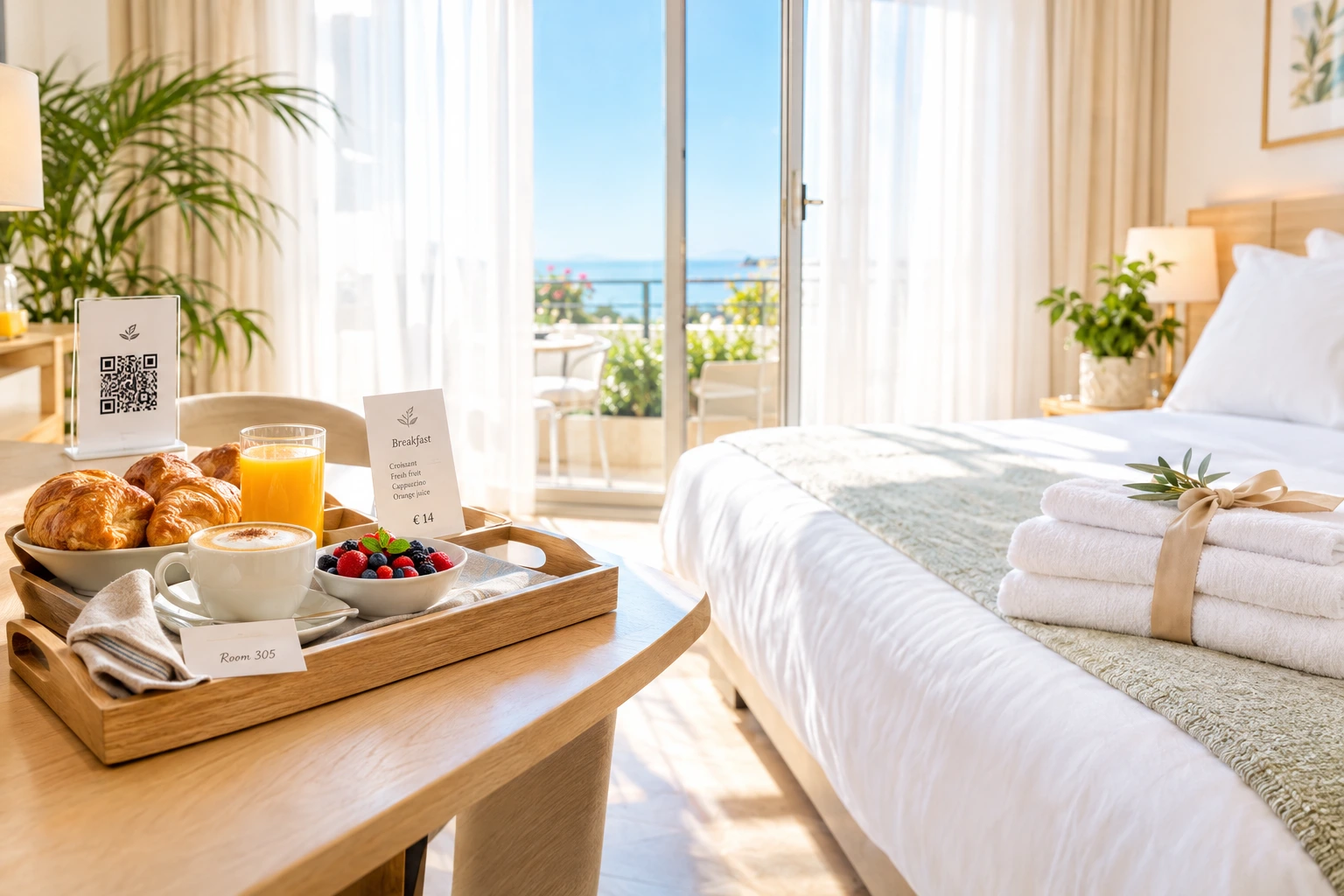
Room Service, Requests and the Hotel Guide — from One QR in the Room
A guest scans the QR on the desk and orders from your restaurant to the room, paid online or charged to the room. The same page sends requests to housekeeping and reception and opens your hotel guide. No app to install.
What is hotel room service on Ordering.Tools?
Every room gets its own QR code. A guest scans it and sees, on their phone and in their language, three things: your restaurant's menu delivered to the room, requests to housekeeping and reception, and the hotel guide. An order arrives on your board, the kitchen screen and the receipts as "Room 305" — never as a table.
Guests pay online or, when the hotel allows it, charge the order to the room. All of a room's orders collect on one room bill that stays open across orders and nights. When the guest checks out, the desk closes it in one step — posted to the hotel bill or paid there in cash or by card. Hotels on Clock PMS+ can also have room charges posted to the guest's folio.
What it changes for the hotel
Fewer Calls to the Desk
Towels, a wake-up call, a taxi, late checkout — guests send them from the room page and follow the status themselves. Reception stops relaying messages by phone.
Charge to the Room, Settle at Checkout
Room orders build up on one room bill. At checkout the desk closes it as posted to the hotel bill or paid on the spot — nothing is collected twice.
Every Order Knows Its Room
"Room 305" is printed on the board, the kitchen display, both receipt types and the note sent to your POS. Runners know exactly where to go.
A Guide Guests Actually Open
Restaurant hours, spa, pool, Wi-Fi, house rules and contacts in every language, one tap away. The guide opens only behind the room's QR, so the Wi-Fi password stays with your guests.
How It Works
Add Your Rooms
Add rooms in bulk — "101-140" or "201, 202, 210-215" — on floors you name. Print the QR sheet: one card per room, with your hotel's logo in the code.
Guests Scan in the Room
The page opens in the guest's language with the room service menu, a Requests tab and the hotel guide. The room is fixed by its QR code; it cannot be typed or changed.
Orders and Requests Reach the Right Team
Orders go to the kitchen like any other, labelled with the room. Requests land in the Room requests inbox for housekeeping or reception, with a sound, a push and an optional printed slip.
Close the Room Bill at Checkout
The desk opens the room and closes its bill — posted to the hotel bill, or paid in cash or by card. The room is free for the next guest.
Built for Hotels with a Kitchen
Room Service Ordering
Your menu, or a separate room service menu, delivered to the room. Guests pay through your online payment methods or, where you switch it on, charge the order to the room.
- A dedicated room service menu, or your default one
- Charge to room — switched on by the hotel, needs the guest's name and phone
- Online card payments through your existing gateway
- Further orders join the same room bill
Room Requests with Live Status
A ready-made list of requests in every language — extra towels, room cleaning, extra pillow, minibar refill, wake-up call, late checkout, taxi or transfer, something else. Edit it, add your own and choose which desk handles each.
- Guests follow each request: sent, on its way, done
- Wake-up calls remind the desk at the right time
- Separate housekeeping and reception tabs
- A housekeeping lead can run requests without access to the menu
The Hotel Guide
Sections for dining, spa, pool, Wi-Fi, rules, activities and contacts, each with a title and text per language. Add the standard set in one click and fill in what applies.
- Shown only to guests who scanned a room QR
- Empty sections are never shown
- Every section in every language you offer
- Reorder or hide sections at any time
The Room Bill as a Folio
One open bill per room collects every order of the stay. A room charge is never mistaken for cash, and a forgotten bill is closed automatically after the period you set.
- Pending room charges shown per room
- "Close the room bill" — posted to the hotel bill or paid at the desk
- A full audit line for every closed room
- Rooms never appear on your restaurant table screens
Who It's For
City Hotels with a Restaurant
Business guests order dinner to the room after a late meeting and charge it to the room, without calling the restaurant.
Resort and Spa Hotels
Guests read the spa and pool hours in their own language and book a taxi or transfer from the same page.
Boutique Hotels
A small team handles towels, wake-up calls and late checkout from one inbox, instead of from notes at the desk.
Aparthotels
Without a staffed restaurant floor, room ordering and requests give guests service without a phone line.
Hotels with International Guests
The menu, the request list and the guide speak the guest's language, so fewer requests are misunderstood.
Hotels on Clock PMS+
Confirmed room charges can be posted to the guest's folio in Clock, with your bill number for the invoice.
In-Room Dining Without a Phone Call
Room service ordering through a QR code means the guest sees your menu with photos and prices, chooses at their own pace, and the kitchen receives the exact order with the room number on it. No misheard orders, no busy line at reception.
Charge to Room, Done Properly
A room charge is recorded as pending on the room's bill and only settled when the desk closes the bill. It is never treated as cash at the door, so your end-of-day figures stay honest.
Housekeeping Requests That Get Done
Each request has a desk, a status and, where needed, a time. Staff mark it seen and done; two taps never make two changes, and the guest sees the same status live.
Clock PMS+ Folio Posting
For hotels on Clock PMS+, a confirmed room-charge order is posted to the folio of the guest checked in to that room, and reversed once if the order is cancelled or paid at the desk. When several bookings match a room, a person chooses. It is set up together with the hotel and tried on a Clock sandbox first.
Questions about hotel room service
Do guests need to install an app?
No. They scan the QR code in their room and everything opens in the phone's browser, in their language.
Can a guest charge an order to another room?
No. A room is reached only through its own QR code, and the room cannot be typed or changed on the page. A guest charging to the room also gives a name and phone.
How is the room bill settled?
At checkout the desk presses "Close the room bill" and chooses: posted to the hotel bill, or paid at the desk in cash or by card. The room is then free for the next guest.
Which hotel systems do you connect to?
Clock PMS+ is supported for posting room charges to the guest's folio. It is set up with each hotel and tried on a Clock sandbox before going live. Other PMSes are not connected; the room bill is then closed at the desk.
Can housekeeping use it without seeing the restaurant menu?
Yes. Room requests have their own permission, so a housekeeping lead can work the inbox and the request types without access to the menu or the rest of the hotel settings.
Who sees the Wi-Fi password in the guide?
Only someone who opened the page through a room's QR code. The guide is not a public page on your website.
Bring Room Service to Your Hotel
Hotel room service is set up per hotel by our team. Contact us and we will set it up for your hotel with you.
Related features
Other tools restaurants use alongside this one.
Guests scan, browse, and order from their phone. Your staff stays focused on service instead of taking orders. Tables turn faster. Mistakes drop.
Learn moreStripe, myPOS, BORICA, Viva.com, DSK Bank, SumUp, Barsy POS, and cash. When one method fails, customers switch to another -- without losing their order.
Learn moreTourists scan your QR code and see the menu in their own language. No waiting for staff to explain. No pointing at pictures. They order confidently and spend more. We translate your menu for you.
Learn moreEvery "Extra cheese" and "Make it large" adds to your bottom line. Structured customization replaces messy notes with clear options that increase order value and eliminate kitchen confusion.
Learn more