
Selling Takeaway Food by Weight Online: How to Stop Guessing the Portion and Stop Losing the Difference
Fish, meat, salads and home-cooked food sold by the kilo do not fit fixed online portions. Here is how by-weight ordering actually works — the customer picks a range, the kitchen weighs, and only the real amount is charged.
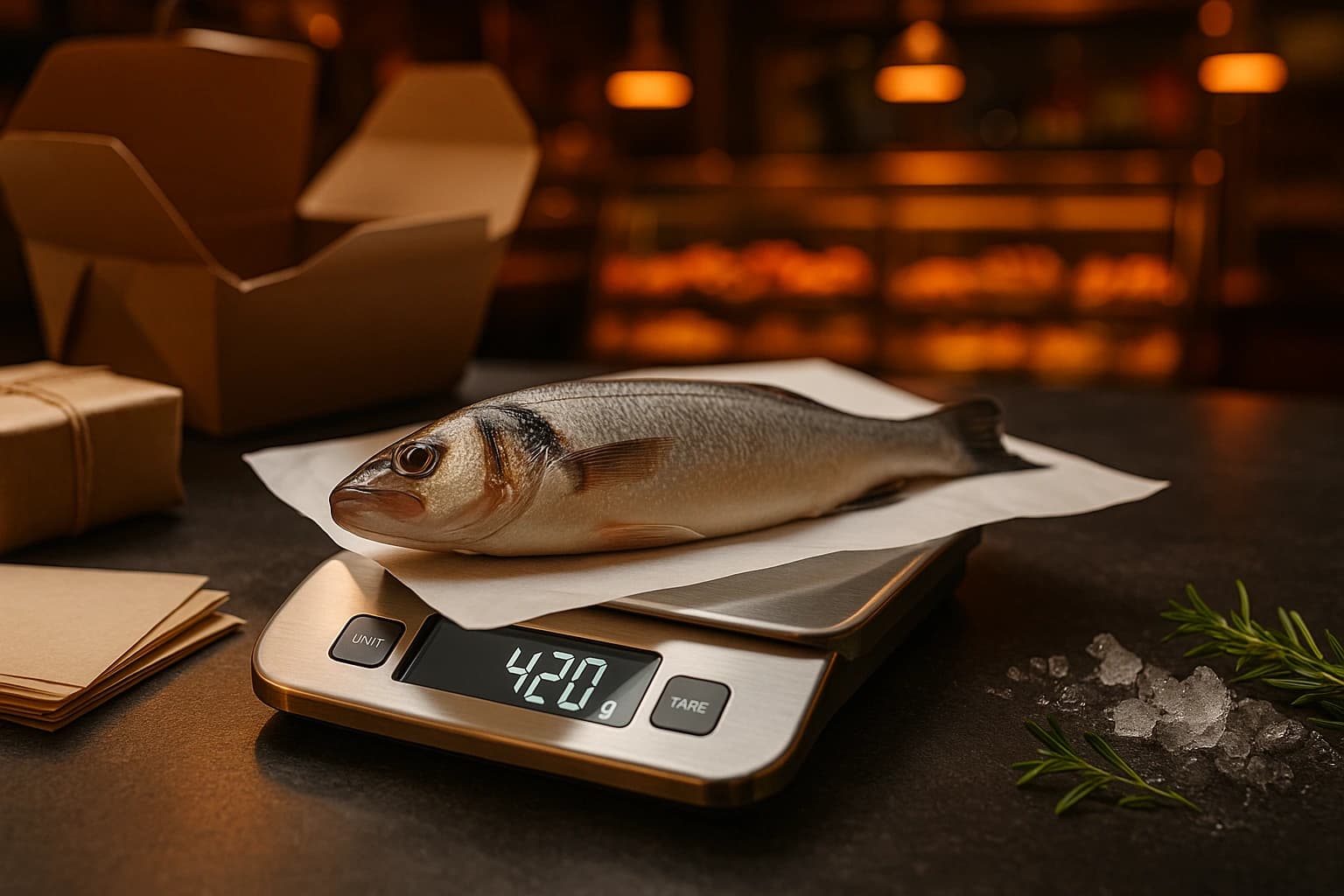
If you sell food by the kilo, you already know the phone call. A customer wants a whole fish, or a kilo of the lamb from the tray, or "about a kilo" of baklava for a name day. Someone on your staff walks to the counter, weighs it, comes back and says: "It came out 1.2, is that alright?" Nine times out of ten it is alright. But that call took three minutes, tied up a person during the rush, and it is the reason half your menu is still not orderable online.
This is not a small niche. Fish counters, butchers, delis, salad bars, bakeries, and every kitchen that sells stews and grilled vegetables from a tray by the kilo — a very large share of takeaway food in Bulgaria and Greece is priced by weight, not by portion. And almost none of it is sold online properly, because online ordering systems were built around a fixed price for a fixed thing.
The Problem Nobody Names: You Take the Money Before You Know the Price
Online ordering has one assumption baked into it: the price is known when the customer clicks pay. For everything you sell by weight, that assumption is false. The real price is only known when the portion is on the scale, which happens minutes or hours after the money moved.
So shops solve it the crude way. They invent a fixed portion — "Grilled sea bass, 400 g, 40.00" — and then live with the consequences. Either they cut to exactly 400 g, which is impossible with a whole fish and wasteful with a tray. Or they round in the customer's favour and quietly eat the difference. Or they round the other way and the customer notices, once, and does not order again.
A shop giving away 40 grams on every by-weight order is not making a rounding error. Over a year of takeaway volume, that is a meaningful slice of margin — donated, invisibly, one portion at a time.
The fixed portion costs you a second way too, and it is the one owners underestimate: it forces you to throw away what does not fit. A counter that sells by weight sells the 380 g fish and the 520 g fish equally well. A menu that only sells "400 g" has no home for either of them.
What Customers Actually Want to Order
Here is the thing worth noticing. A customer buying a whole fish is not asking for 400 grams. They are asking for a fish, roughly that size, for two people. Someone ordering from the tray wants "enough for four", not 1,150 grams precisely. They think in ranges and occasions, and the fixed portion is a translation error we introduced, not something they asked for.
Let them order the way they think, and two things follow. The order matches what your counter actually has that day. And the conversation about weight happens before the money moves, in writing, instead of on the phone at the worst possible moment.
How By-Weight Ordering Works, Step by Step
1. You price per 100 g, not per portion
You set one number — the price for 100 g — and the menu shows it that way. This is also what consumer-protection rules expect when something is sold by weight, so it is worth doing correctly rather than approximately. Everything downstream is calculated from that single number, so a price change tomorrow is one edit, not a rewrite of every portion size.
2. The customer picks an approximate amount
Instead of a fixed size, the customer chooses a range you offer — 300 to 450 g, say — and sees exactly what it costs at both ends: 30.00 to 45.00. You decide which ranges to offer and set hard minimum and maximum limits, so nobody orders 40 grams of anything or a portion your kitchen cannot fill.
3. They agree to the maximum before paying
Before the order goes through, the customer ticks a box confirming the highest amount they might pay. This is the part that makes the whole model fair. Nobody is surprised later, because the ceiling was agreed to in advance and in writing.
4. Your kitchen weighs and taps once
The item appears on the kitchen screen with the target range next to it. Whoever plates it taps the weight — one tap for the common sizes, a keypad for anything else — and the price updates live on screen as they do. That live number is the point: a mistyped weight is invisible as "40 g" and obvious as "4.00". Nothing else in the order has to be touched.
5. Only the real amount is charged
The customer pays for what was actually plated. Not the estimate, not the ceiling — the weight on the scale. And they get a message telling them the final weight and the final price, so the number on their statement is never a mystery.
The Card Payment Question — Answered Properly
This is the part operators are right to be sceptical about, so it is worth being precise. When a customer pays by card, the higher end of the range is reserved on their card — not taken. Their bank shows it as a pending amount. Once your kitchen weighs the portion, only the real amount is captured, and the rest is released automatically by their own bank.
The customer authenticates once, at the moment of ordering. There is no second payment request that can be declined an hour later, and no refund crawling back over a week. The reservation is a single, ordinary card authorisation — the same mechanism a hotel or a car hire uses when the final bill is not yet known. It works with Stripe, Viva, myPOS and Borica.
One sentence in the customer message does most of the work: "We reserved 45.00 and charged 40.00 — the difference is released by your bank." Without it, a customer who sees a pending 45.00 and a charge of 40.00 calls you. With it, they do not.
And if most of your volume is cash on delivery — which for a lot of by-weight takeaway it is — none of this applies. The customer sees the price range at checkout and the courier collects the final amount at the door. The only rule that always holds is that an order cannot be marked ready or sent out until every portion on it has been weighed, so a driver never leaves with the wrong number in their head.
What Changes on a Busy Saturday
The operational difference is not subtle. Today, a by-weight order means a phone call, a person leaving their station, a negotiation, and a handwritten correction on the bill. Tomorrow, the order arrives typed and pre-agreed, the weight goes in with one tap while the portion is already in the person's hands, and every screen that matters updates itself — the order total, the receipt, the customer's tracker, the card charge.
Your staff stops doing arithmetic on a Saturday. That is the real win. Nobody is multiplying 1,240 grams by 2.40 per 100 g on a calculator with wet hands while three people wait.
Where to Start
Do not convert the whole menu. Pick the three products that generate the most phone calls — usually the whole fish, the tray item people order "about a kilo" of, and whatever your staff argues about most at the counter. Price them per 100 g, set two or three ranges each, and watch a week of orders.
You will learn two things quickly: which ranges customers actually pick, and how often the real weight lands near the top versus the bottom. That tells you whether your ranges are set sensibly, and it tells you — for the first time with real numbers — how much the fixed portions were costing you.
The Sell by Weight feature page walks through the setup screen by screen. If your by-weight items also go out for delivery, the Delivery Zones feature page pairs with it — knowing the real weight before the driver leaves is what keeps a cash delivery from turning into an argument on a doorstep. And if you are still deciding what to put online at all, our guide to building a takeaway menu that sells covers the products worth leading with.
Try Ordering.Tools for Free
Set up your digital menu in under 2 minutes. No credit card required.