
Accessible Digital Menus: What the European Accessibility Act Means for Restaurants
Since 28 June 2025 the European Accessibility Act covers restaurant online ordering. What it requires, who is exempt, and how to build an accessible digital menu.
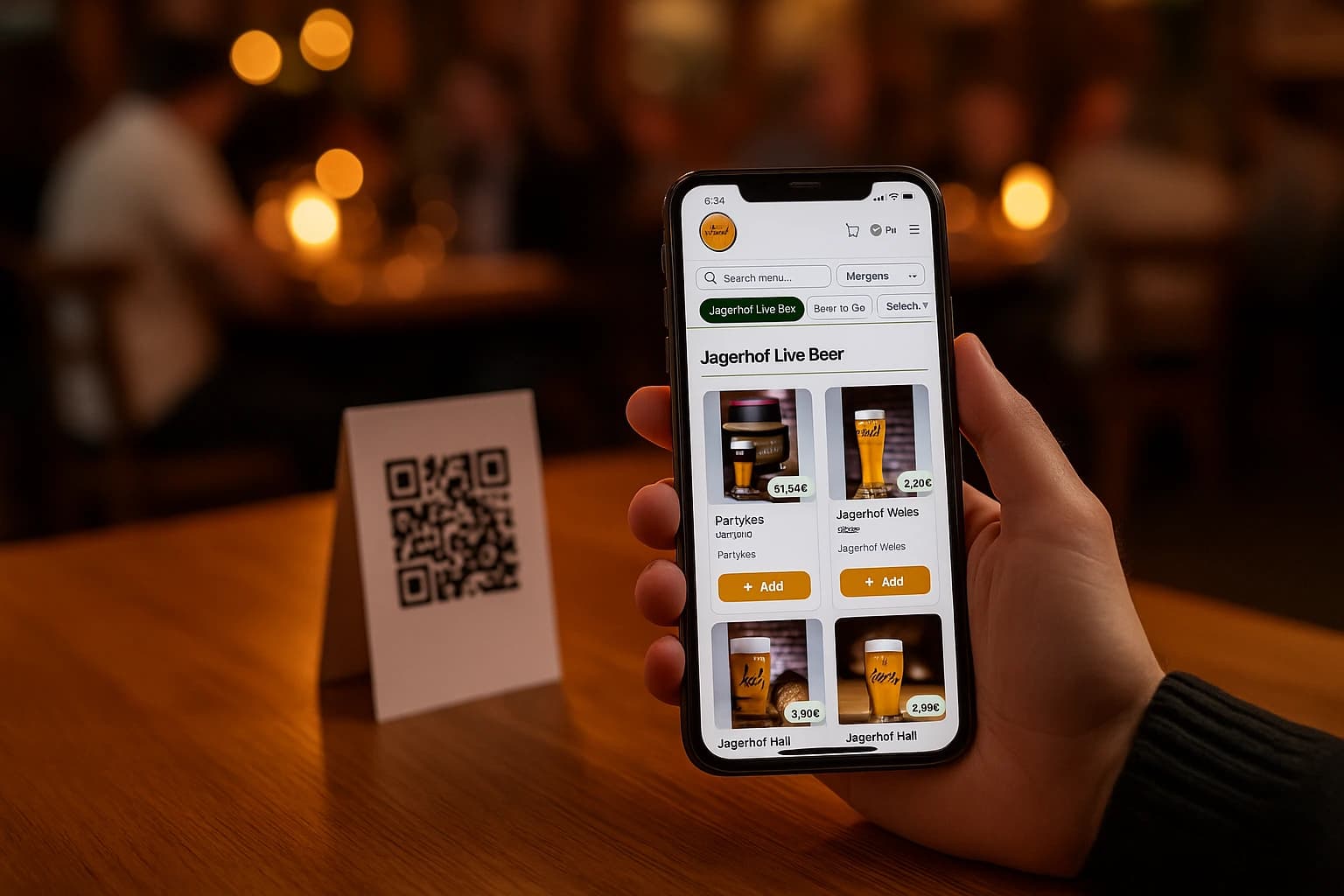
Open your restaurant's menu the way a blind guest does. Turn on the screen reader that ships with every phone and point the camera at your QR code. If the menu behind it is a scanned PDF or a photo of the printed card, here is what the guest hears: "Image." That is the whole menu. Not the sea bass, not the prices, not the daily special — one word, and then silence.
Until recently that was a service failure. Since June 2025 it can also be a legal one. The European Accessibility Act now applies to online ordering across the EU, and a restaurant that sells through its website or a QR menu is running exactly the kind of e-commerce service the law covers. This article explains what the law says, who it applies to — and, more usefully, what an accessible digital menu actually looks like in practice.
What the European Accessibility Act Says — and Who It Covers
The European Accessibility Act is Directive (EU) 2019/882. It sets accessibility requirements for a list of products and services, and consumer-facing e-commerce services are on that list. The obligations have applied to services provided to consumers since 28 June 2025. If customers can browse your menu and place an order on your website, you are providing an e-commerce service — the law does not carve out food.
Two things to keep straight. First, the exemption: microenterprises providing services — fewer than 10 people and annual turnover below 2 million euros — are exempt from the services obligations. Many independent restaurants fall under that line; many groups and multi-site operators do not. Second, enforcement: the EAA is a directive, so each member state has written it into national law and enforces it through its own authorities, with its own penalties. Where you operate determines who checks and what non-compliance costs.
This article is practical guidance, not legal advice. Whether the exemption applies to your company, and what your national law requires exactly, is a question for a qualified advisor in your country. What follows is the part you can act on either way.
The Test Your Menu Has to Pass: It Must Be Text
Most inaccessible menus fail for one reason, and it is not a subtle one. The menu is a picture. A scanned PDF, a photo of the printed card, a JPEG exported from a design tool — to a screen reader all three are the same object: an image with no words in it. Assistive software cannot read pixels. Neither can translation tools, and neither can a search engine, which is why menus that fail blind guests also tend to be invisible on Google.
The fix is structural, not cosmetic: the menu must be real HTML text. Every dish name, description and price a piece of text the browser knows about, in a sensible order — categories as headings, dishes under them. Do that, and a screen reader can read the menu aloud, a guest can search it, and the phone can enlarge it. Skip it, and everything else in this article is moot.
What Accessible Means in Practice
Contrast a tired eye can read
Pale grey text on a white background looks refined in a design mockup and disappears on a phone at half brightness in a dim dining room. Dark text on a light ground, or the reverse, with real contrast between them. This single change helps the widest group of people: guests with low vision, older guests, and everyone reading outdoors in sunlight.
Text that scales without breaking
Many guests keep their phone's font size turned up permanently. An accessible menu lets that happen: text enlarges, lines rewrap, nothing overlaps and no button drifts off screen. A menu locked inside a fixed-size image cannot do this — one more reason the PDF fails.
Photos with words attached
A product photo needs a text description, so a guest who cannot see the picture still knows the dish behind it. The description does not need to be literary — "grilled sea bass with lemon" does the job. What matters is that it exists on every image that carries meaning.
Buttons a thumb can hit, a flow a keyboard can finish
"Add to cart" has to be big enough to tap without zooming, and the whole path — menu, cart, checkout, pay — has to work for someone driving the page with a screen reader or an external keyboard, not only a fingertip. That means real buttons rather than clickable pictures, visible focus as you move through the form, and labelled fields at checkout. If a guest can hear the menu but cannot finish the order, the ordering service is not accessible in any sense that matters.
The guest's own language
Accessibility includes understanding. A menu only in Bulgarian is a wall for a Greek tourist, and the reverse. Serving the menu in the guest's language — actual translated text, not a photographed second card taped next to the first — is part of the same discipline: information a guest can actually use.
The Business Case Is Bigger Than the Law
It is tempting to file this under compliance and stop at the minimum. That misreads who benefits. The guests helped by an accessible menu are not an edge case: older guests whose eyesight is going, anyone reading a phone in a candle-lit room, a parent ordering one-handed, a tourist puzzling out the local script. Blindness is the sharpest case, not the common one.
And the same structure serves everyone at once. Clear headings help a screen reader and help a hungry customer scan to the mains in seconds. Real text lets assistive software speak the menu and lets a search engine index it. Decent tap targets reduce mis-taps for every thumb. There is no trade-off hiding here — an accessible menu is simply a well-built menu.
The overlap is the point: nearly everything the EAA asks of a menu — real text, contrast, scaling, labels, a flow that can be finished — is what a fast, usable, findable menu needed anyway. Compliance and conversion are the same work here.
A Ten-Minute Self-Check
You do not need an auditor for a first pass. Take your phone to a table in the evening light and go through your own menu as a guest:
- •Scan the QR code. Does the menu open in the browser, or does it demand an app download first?
- •Try to select a dish name with your finger, like text. If you cannot select it, it is a picture — and a screen reader gets nothing.
- •Turn on the phone's built-in screen reader (VoiceOver or TalkBack) and swipe through. Are dishes and prices read aloud in a sensible order?
- •Raise the phone's font size in settings. Does the menu rewrap cleanly, or do lines overlap and buttons vanish?
- •Dim the screen and find the palest text on the page. Can you still read the prices at arm's length?
- •Switch the menu language. Is everything translated — dishes, buttons, the checkout — or just the front page?
- •Place a test order end to end. Could you have completed every step without precise tapping?
Where to Start
If your current menu is a PDF behind a QR code, the first step is not fixing the PDF — it is replacing it with a menu that is text by construction. Ordering.Tools menus are built that way: every dish is real HTML text the browser and any screen reader can work with, product photos carry text descriptions, menus run in the languages you enable, and the whole thing opens in the phone's browser with nothing to install. We do not certify conformance to any accessibility standard — no platform honestly can, because your photos, your descriptions and your colour choices are part of the result. What the platform does is make the structural part — the part that is hardest to retrofit — the default.
The QR Code Menus feature page shows how the browser-based menu replaces the laminated card and the PDF scan. The Multi-Language feature page covers serving each guest the menu in their own language from one maintained menu. And since the guests who most need accessible information often overlap with the guests who need dietary information, our allergen and dietary labeling guide is the natural next read — the same tag-once, show-everywhere structure serves both.
Frequently asked questions
Does the European Accessibility Act apply to restaurants?
It applies to the online part of the business. The EAA (Directive (EU) 2019/882) covers consumer-facing e-commerce services, and its obligations have applied since 28 June 2025 — so a restaurant that takes orders through its website or a QR menu is providing a covered service. The dining room itself is not the subject; the digital ordering channel is. Confirm your exact position with a legal advisor in your country.
Are small restaurants exempt from the European Accessibility Act?
Microenterprises providing services — fewer than 10 people and annual turnover below 2 million euros — are exempt from the services obligations. Many independent restaurants sit under that threshold. Whether yours does is a factual question about headcount and turnover, so confirm it with an advisor — and note that an accessible menu is worth having regardless, because the same structure serves older guests, tourists, and every rushed customer.
Can a screen reader read a PDF menu?
Not if the PDF is a scan or an exported image, which most restaurant PDFs are. To a screen reader, a picture of text is just an image — it announces "image" and moves on. A menu built as real HTML text is read aloud dish by dish, price by price, by the screen reader built into every phone.
What makes a QR code menu accessible?
Five things carry most of the weight: the menu is real text rather than a picture; the contrast between text and background is strong enough to read in dim light; text scales when the guest raises their font size, without breaking the layout; images have text descriptions; and the full ordering flow — menu to cart to checkout — can be completed with a screen reader or keyboard, not only precise taps.
Do customers need to install an app for an accessible digital menu?
No — and avoiding an app helps accessibility. A menu that opens in the phone's browser works immediately with the accessibility tools the guest already has configured: their screen reader, their font size, their display settings. Ordering.Tools menus open in the browser from a QR scan with nothing to install.
Try Ordering.Tools for Free
Set up your digital menu in under 2 minutes. No credit card required.